
- Published on
Detailed Guide! How to Apply for Australian ETA 601 Step By Step
- Authors
Pre-Application QA
How long is the ETA 601 visa valid?
The visa is valid for 1 year and allows the holder to stay in Australia for up to 3 months at a time with multiple entries, for general or business travel, each stay not exceeding 3 months.
ETA 601 Cost
AUD 20, non-refundable if the application is unsuccessful.
How long does it take to get the ETA?
Applied on 5/5 Received Granted notification on 12/5 My friends and I applied on the same day, some received notifications in a few days, I received mine in a week. From my research, it generally takes 1-3 weeks to get a notification.
How long in advance should I apply for the ETA?
The official recommendation is to apply at least 4 weeks in advance because you might be asked to provide additional documents, so it’s better to apply early. Some applicants for an ETA may be asked to provide further information. Therefore you must apply early and well before the intended date of travel - at least 4 weeks in advance.
Can I apply without buying flight tickets and booking accommodation?
You can apply first, as I did. However, having booked tickets and accommodations might help, and you can provide relevant proofs! It is recommended to apply for the ETA first and then buy flight tickets to be safe, as some people faced application failures after buying tickets, resulting in wasted money.
Heard that Malaysians have a hard time applying for ETA?
A friend mentioned that many Malaysians go to Australia for illegal work, which leads to stricter visa application processes for Malaysians.
Is it difficult to apply if my bank balance isn't much?
I know a friend with 500,000 MYR in the bank who couldn't get the ETA, but another friend working in Taiwan with 50,000 TWD in the bank got it. He mentioned that a company employment letter (employment certificate) is far more important than the bank balance. So, preparing all supplementary documents can greatly help!
Let's get started with the step-by-step application process!
STEP A: Register for the Australian ETA App
- Download the Australian ETA App from the App Store.
- Only some countries' passports can apply for the ETA visa. If your country is included, click Next.
- Explanation of the ETA visa, click Next.
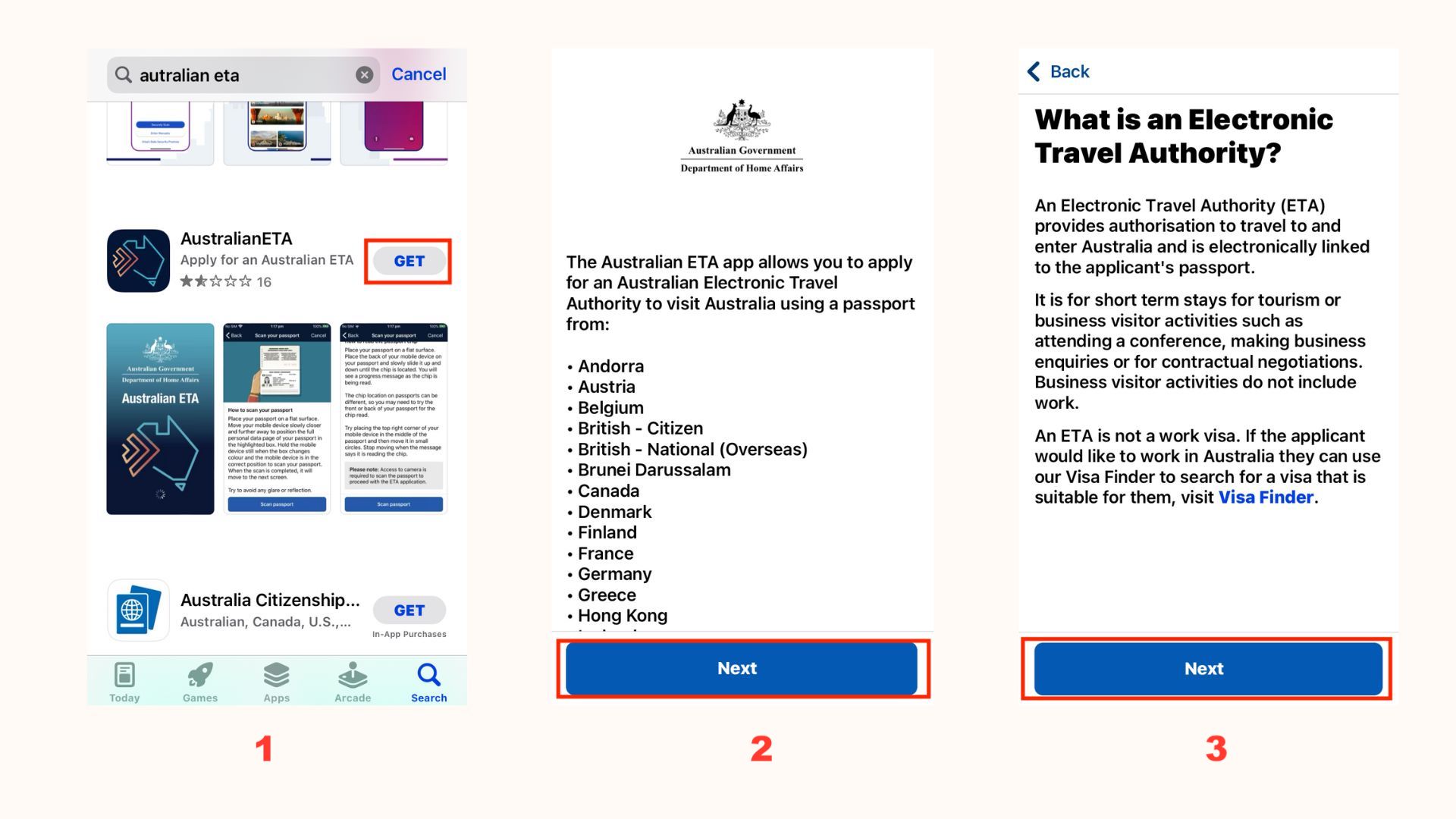
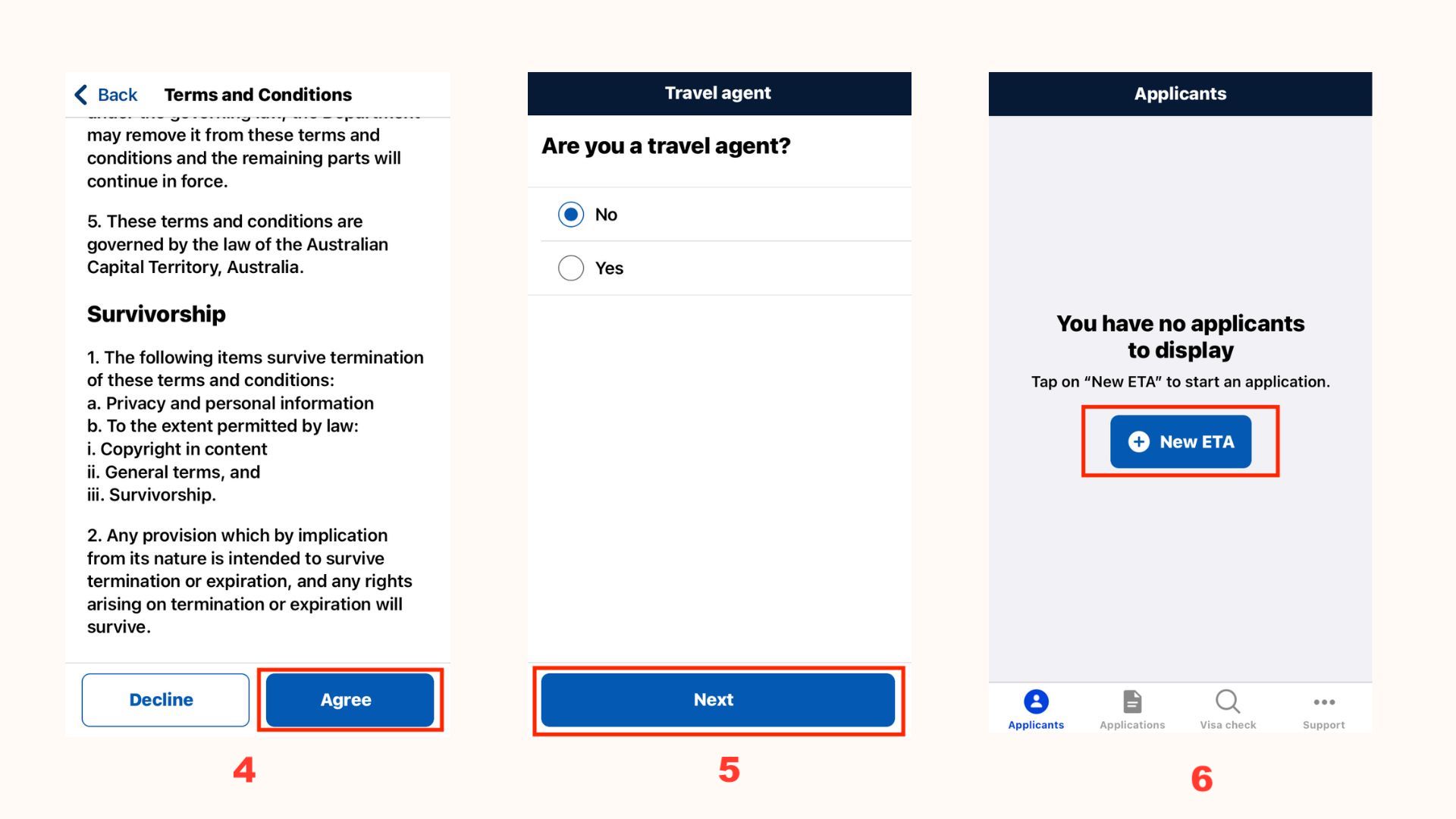
- Click Agree.
- Are you a travel agent? Select No.
- Start applying for the ETA.
- After reading the consent agreement, click Agree.
- After reading the application instructions, click Start.
- Confirm the app can take a photo of your passport, ensure there is no passport cover, and fingers do not block the data.
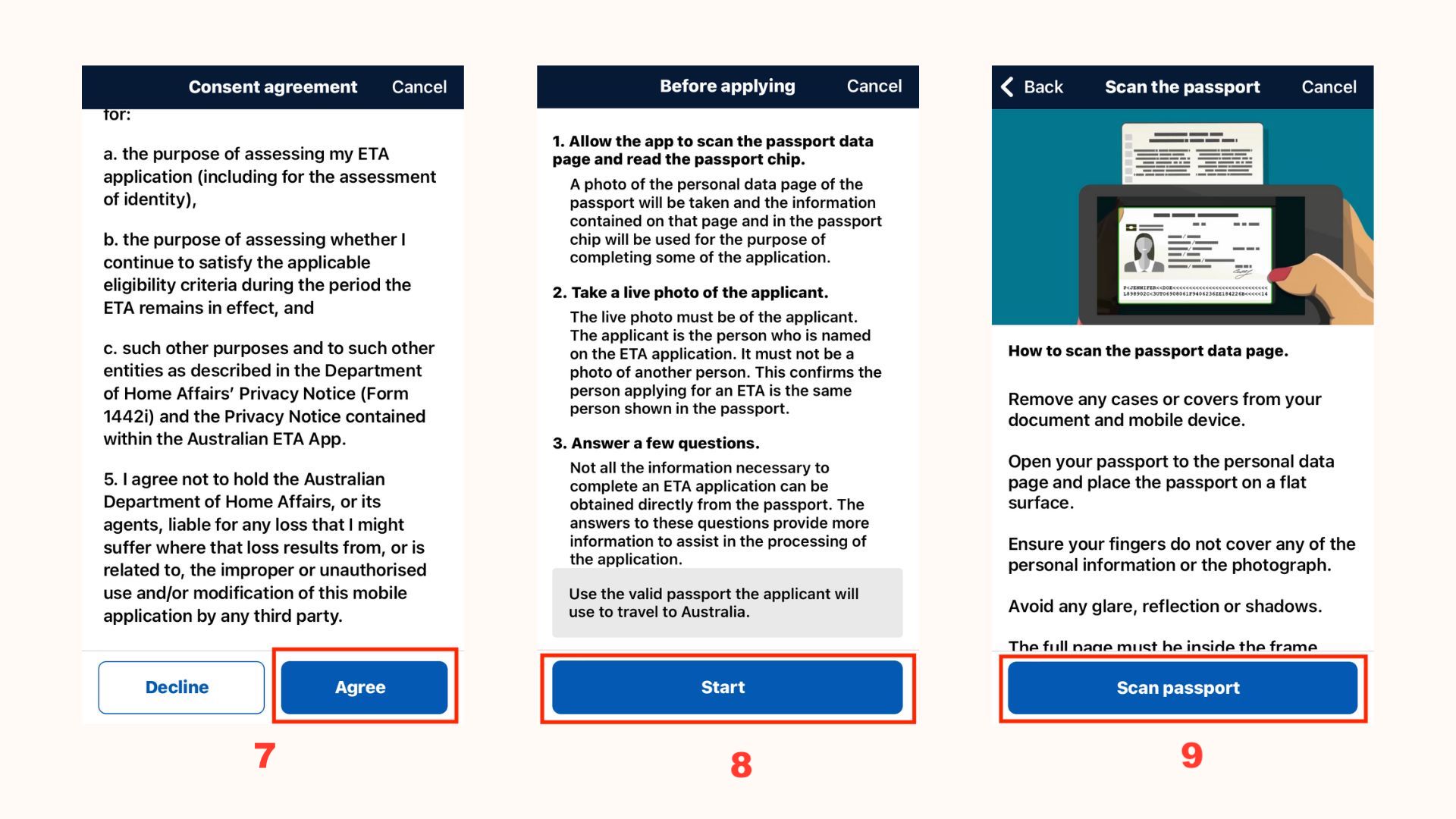
- Scan the chip, slowly slide your phone over the passport to find the chip, and once detected, keep still until scanning is complete.
- Take a live photo, preferably against a wall with good lighting, until the red circle turns green, and the photo is automatically taken.
- Confirm passport details.
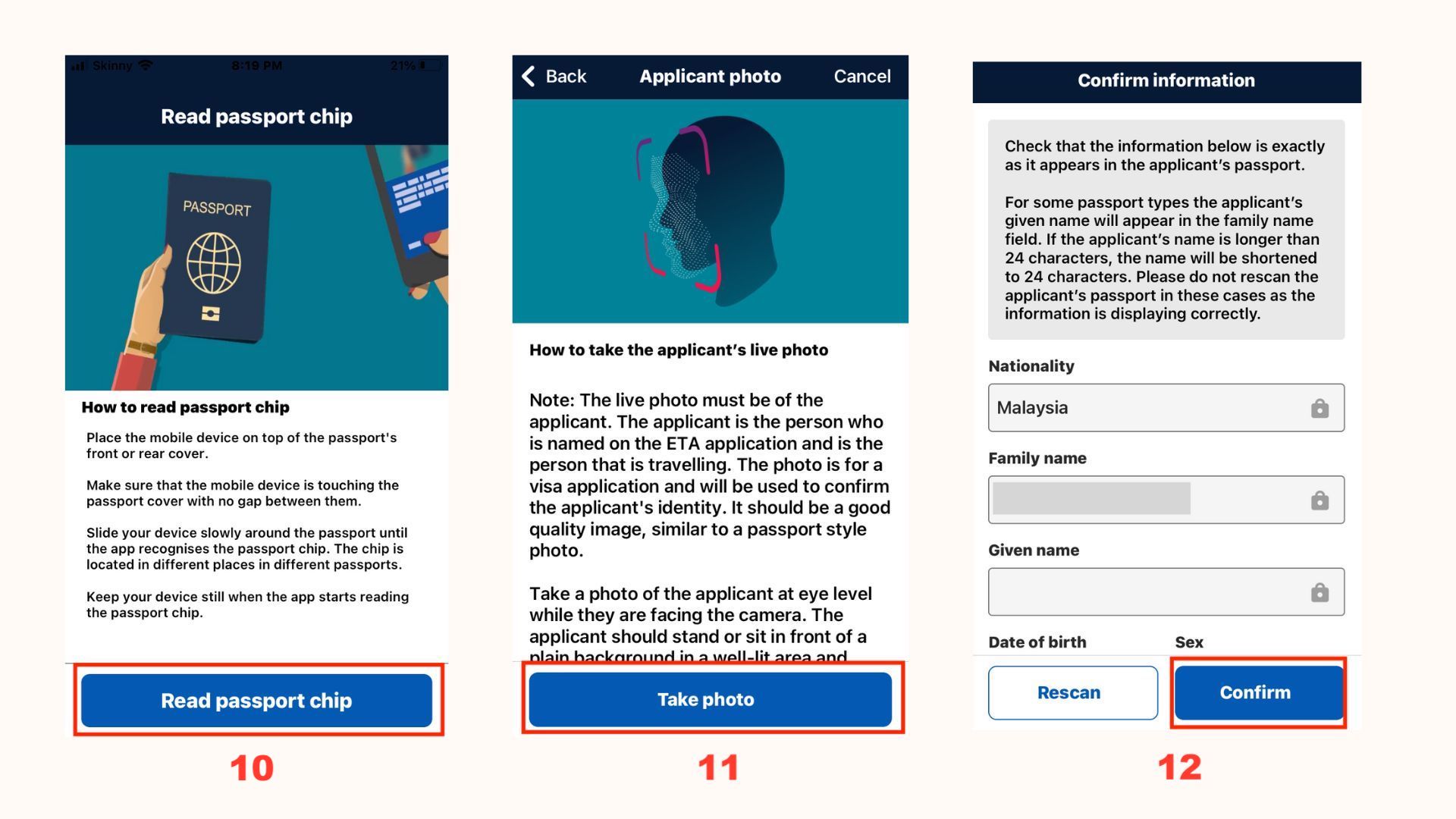
- Any other names? Select No.
- Check if the applicant currently holds an ETA visa. For first-time applications or expired ones, select Next.
- Confirm using the passport for entry to Australia, select Next.
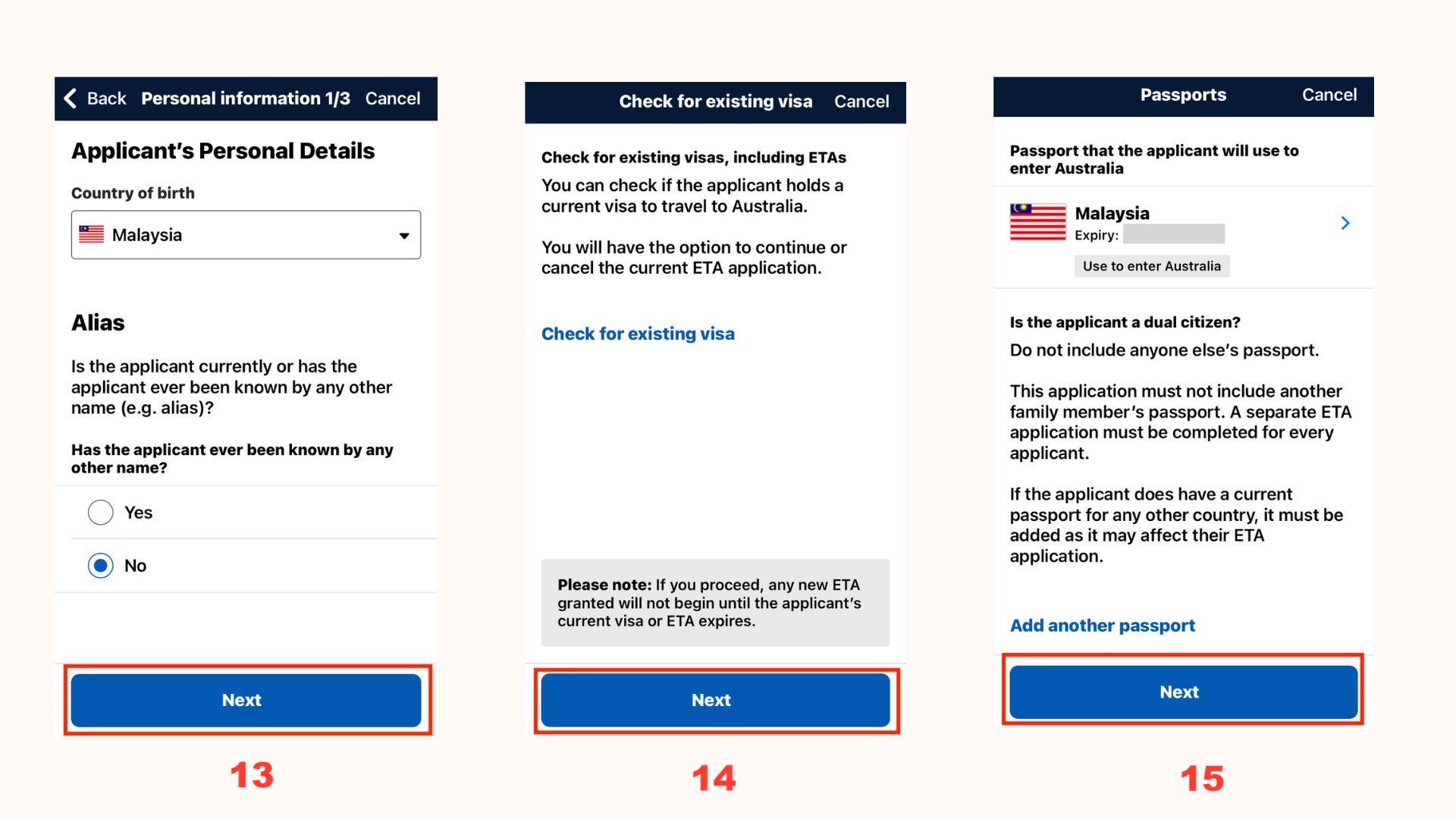
- Fill in the address.
- Fill in the applicant's contact number.
- Fill in the email.
- You will receive an email verification code.
- Complete the verification.
- Confirm the applicant's details and save the file.

- ETA type is for business or tourism. Are you the applicant and current location?
- Read the Declaration, select Next.
- Any criminal record? Select No and continue.

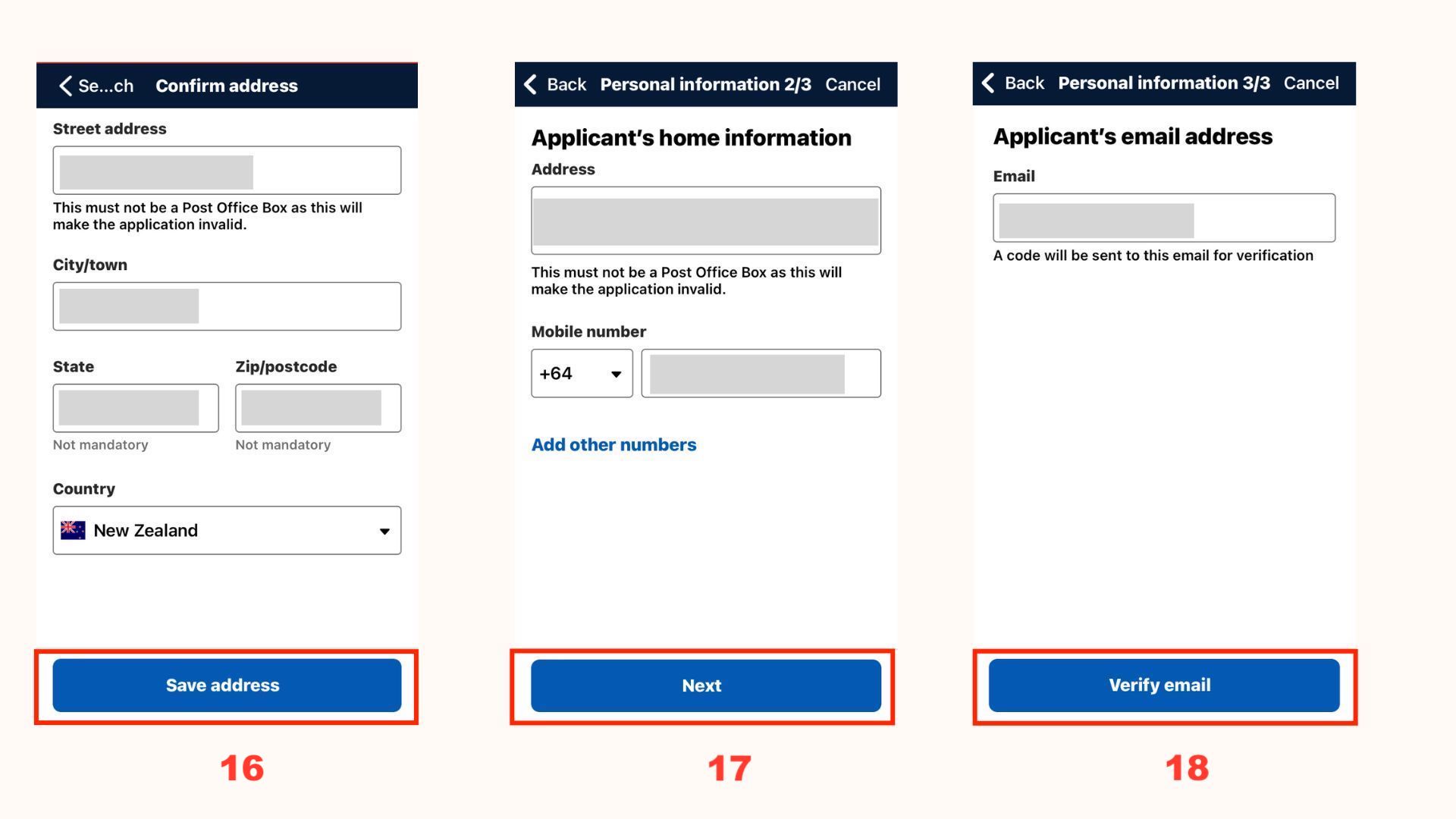
- Do you have an Australian contact address? If yes, attach it. If not, you can write which city you plan to visit, book accommodation after receiving the ETA.
I am planning to arrive in Sydney and then apply for an ETA before booking accommodation.
- Review information (can apply for multiple people, repeat the above steps).
- Payment page, pay AUD 20 (can also pay for multiple people).
- Submit after payment.
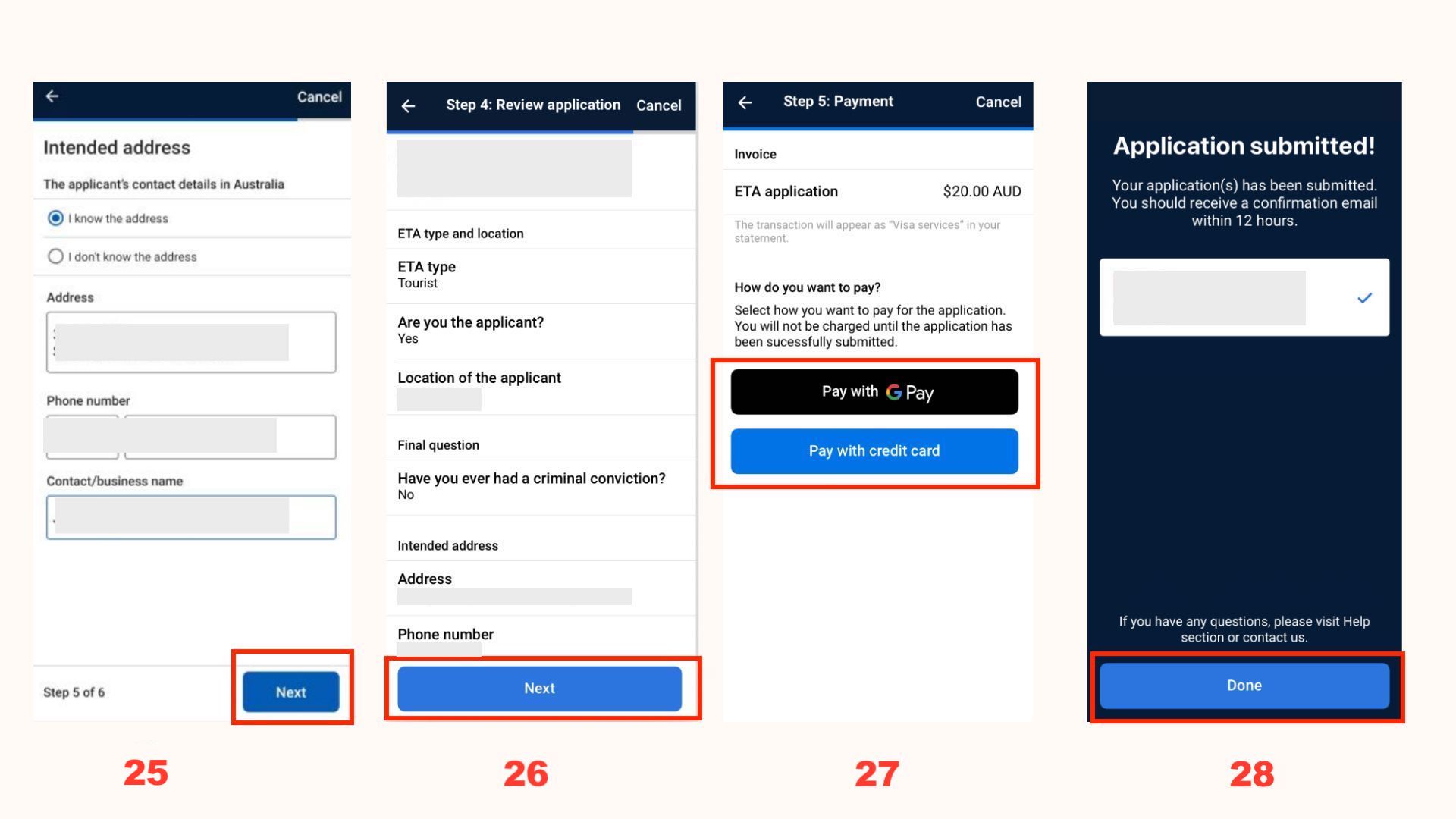
- Check your email. After completing Step A, you will receive an email.
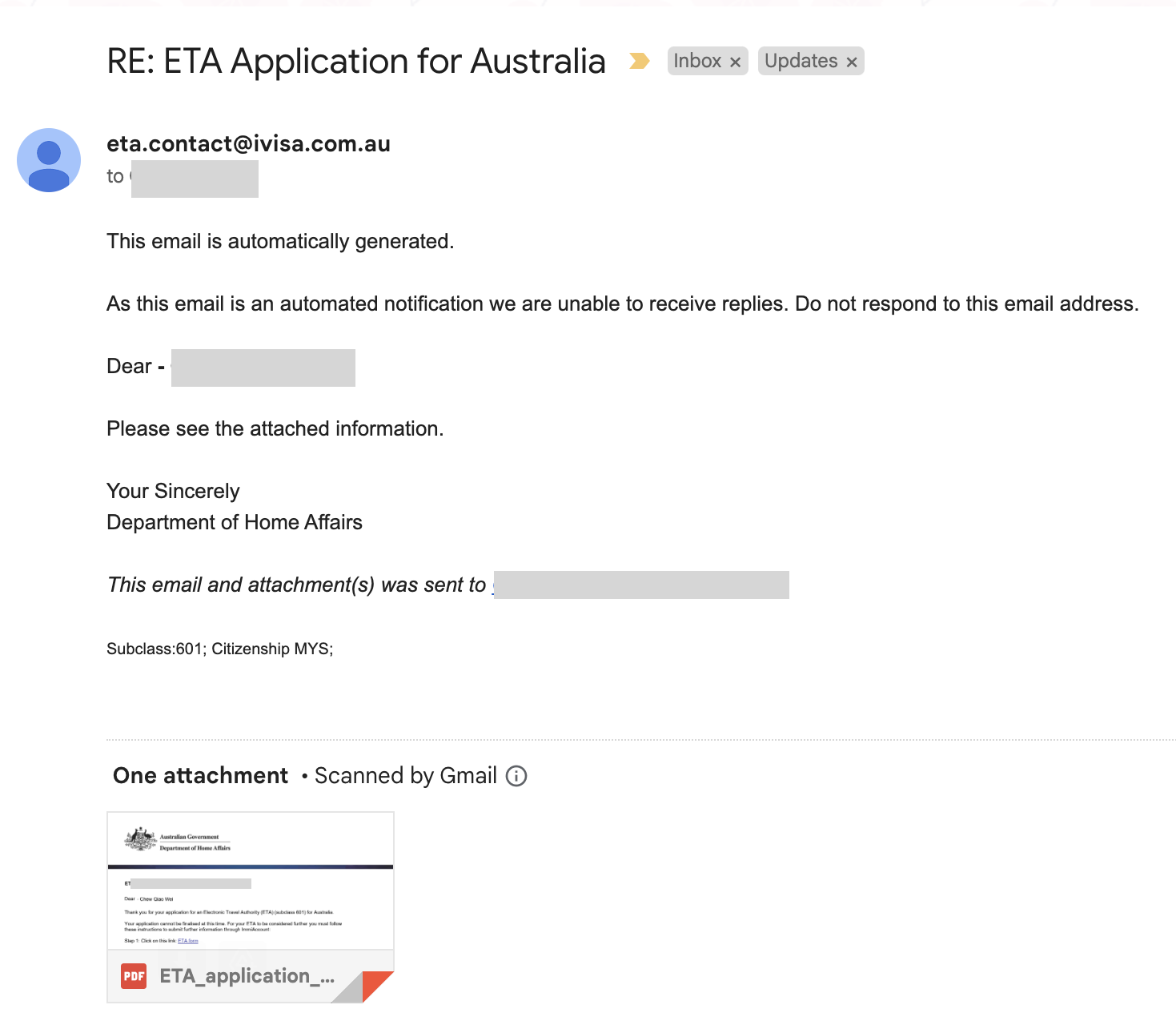
- Go to https://online.immi.gov.au/lusc/login , if not registered, click create ImmiAccount.
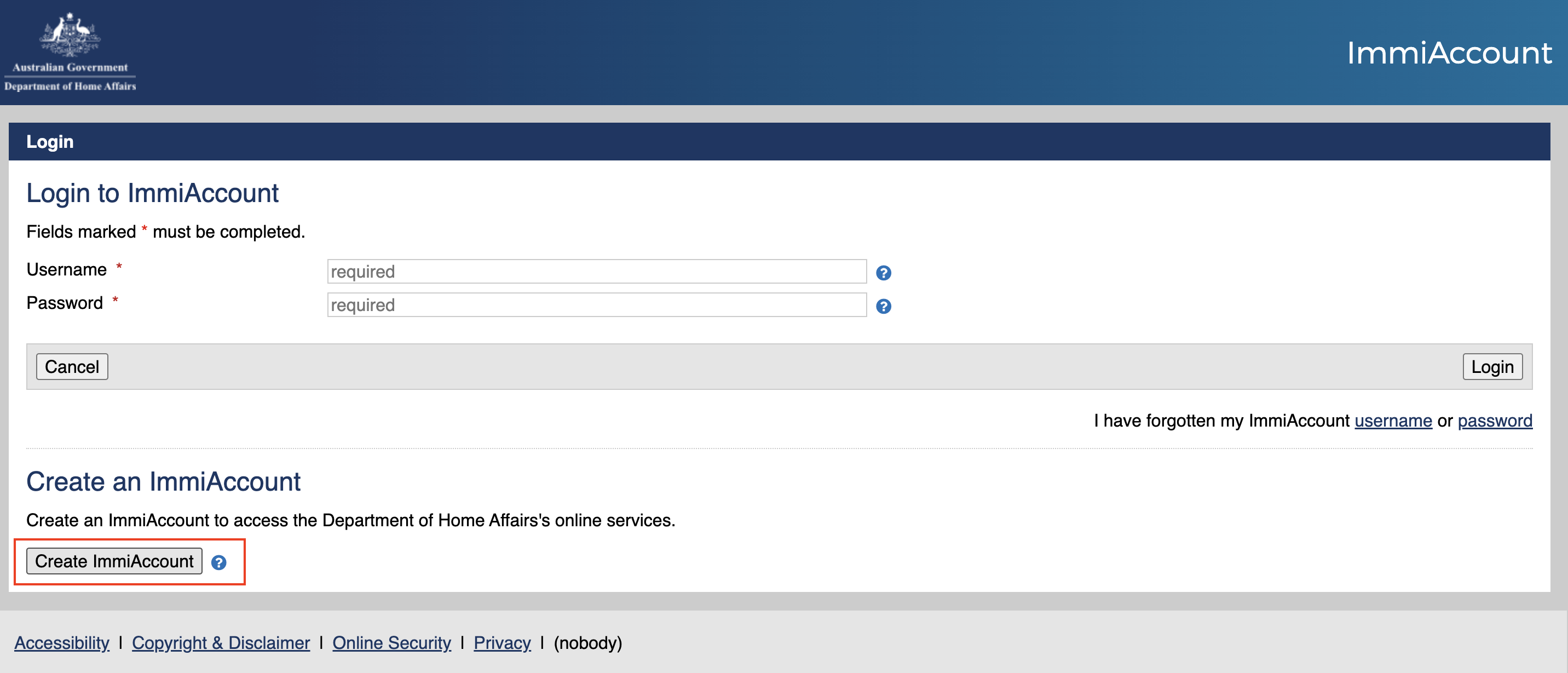
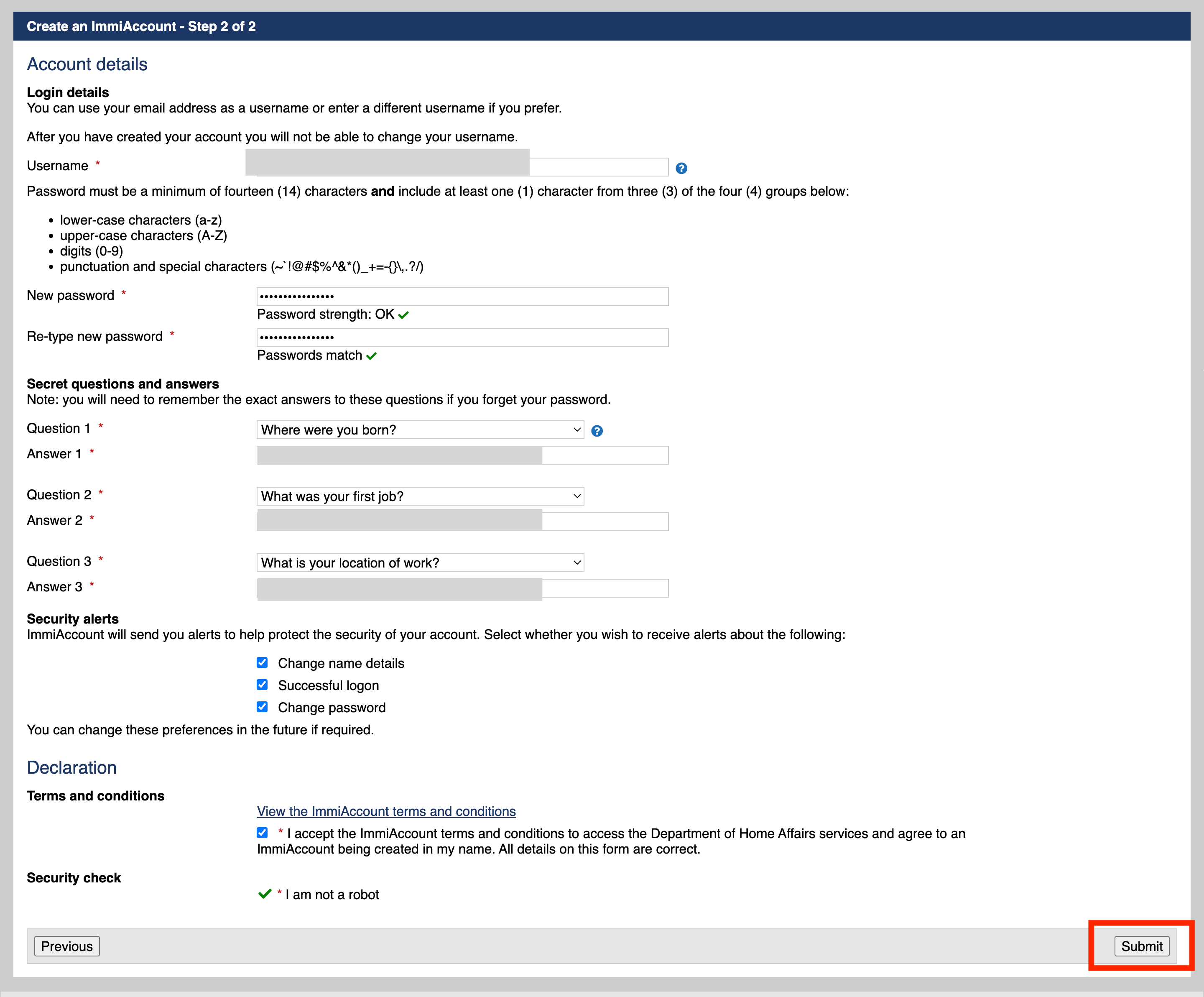
- Fill in the username (email), password, and secret questions and answers.
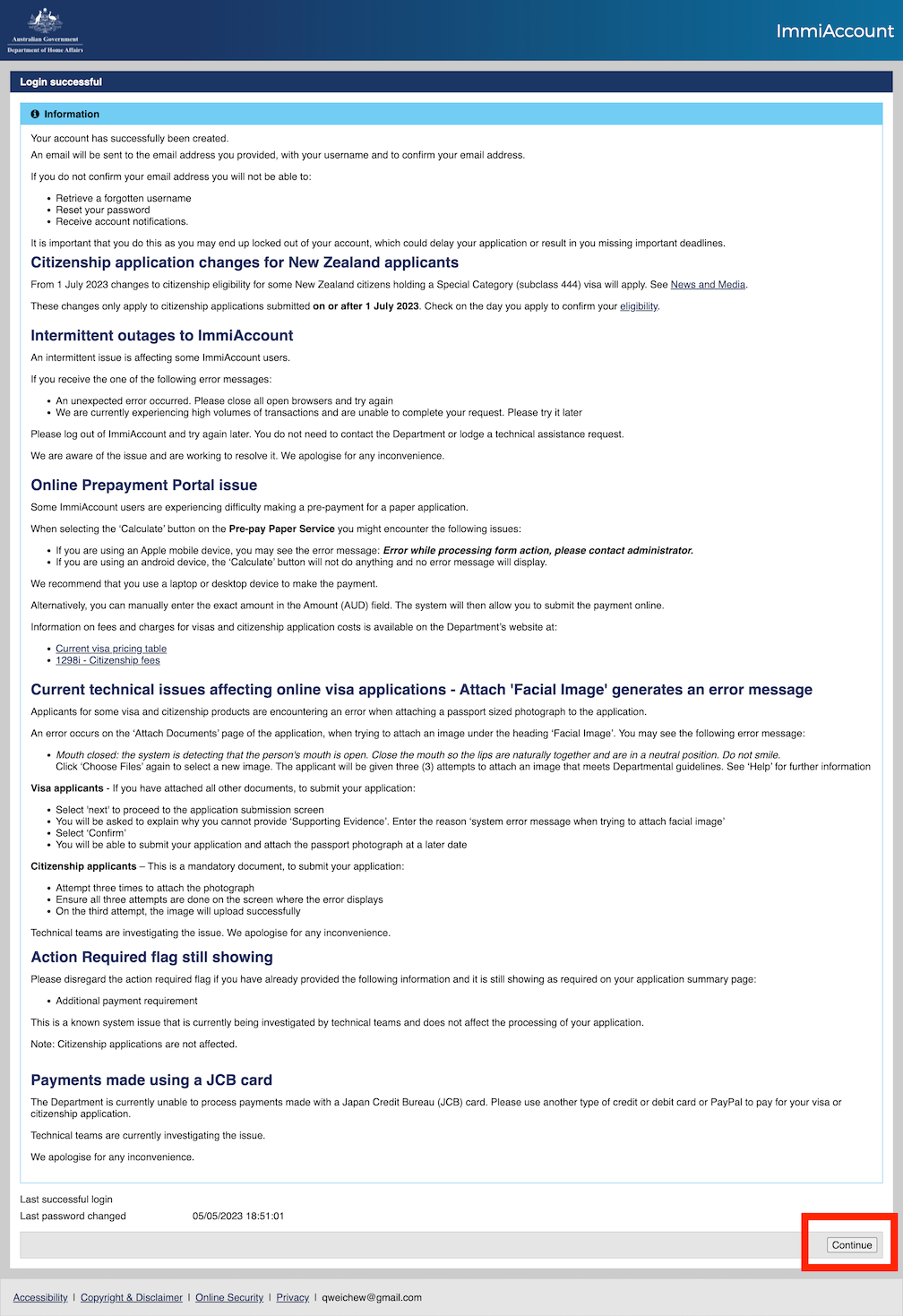
- Click continue, and you are logged in.
- Select T&C, choose Next.

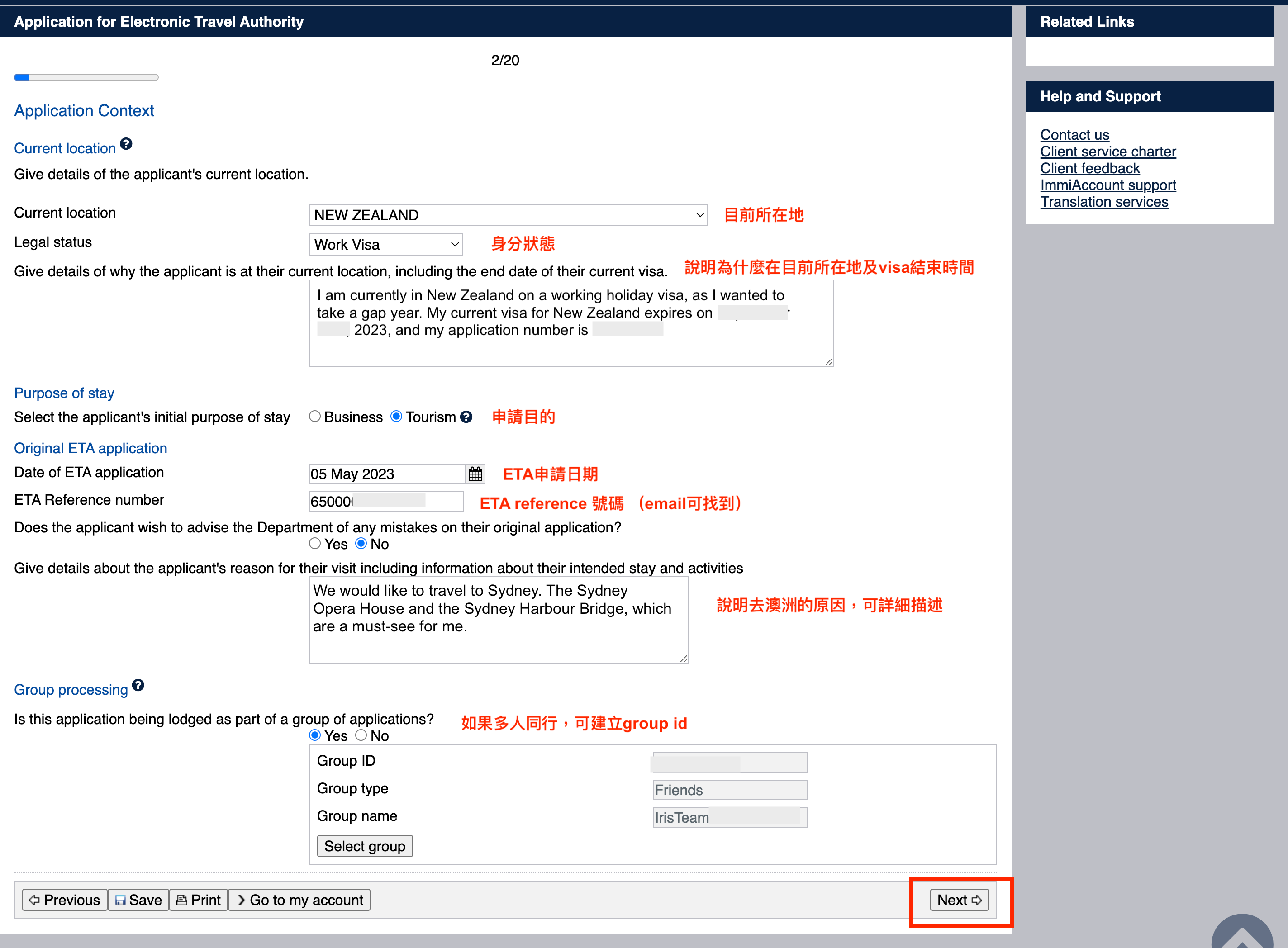
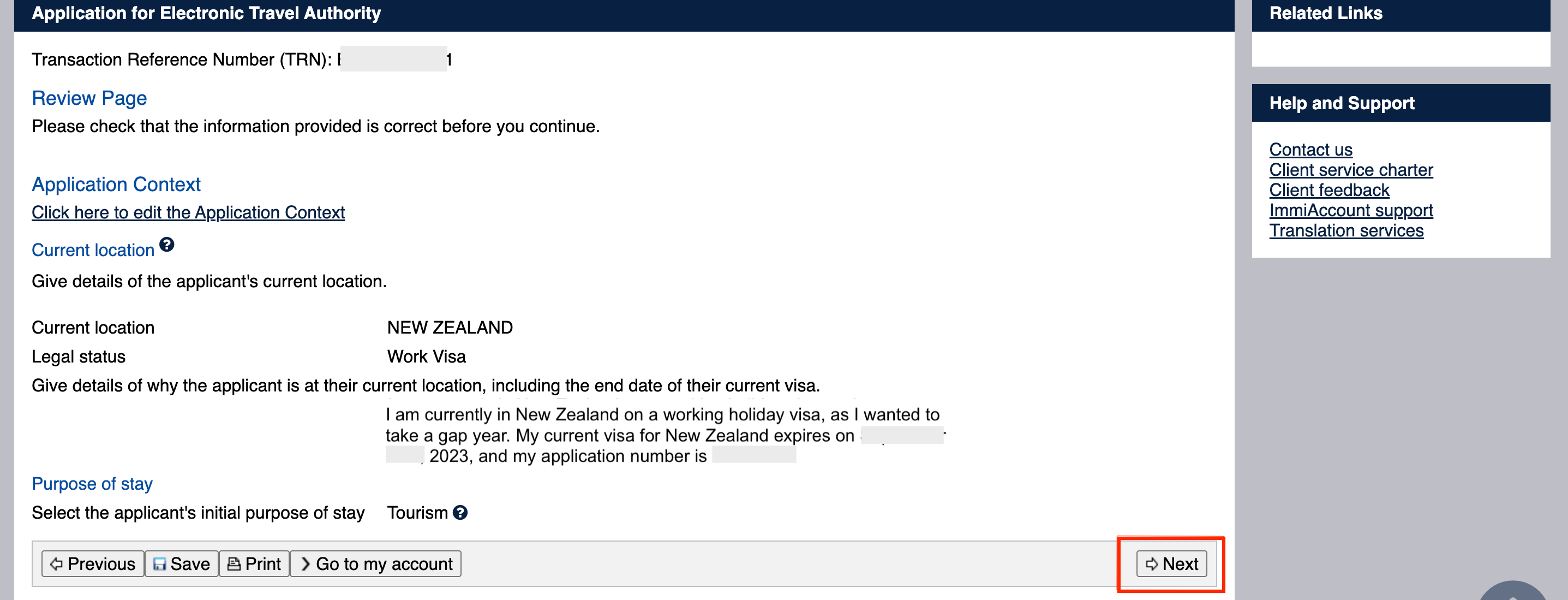
Fill in the current location, status, reason for being there, visa period, purpose of the application, application date, reference number, reason for going to Australia, and group information. Detailed reasons for going to Australia are recommended. I felt my explanation was a bit superficial XD
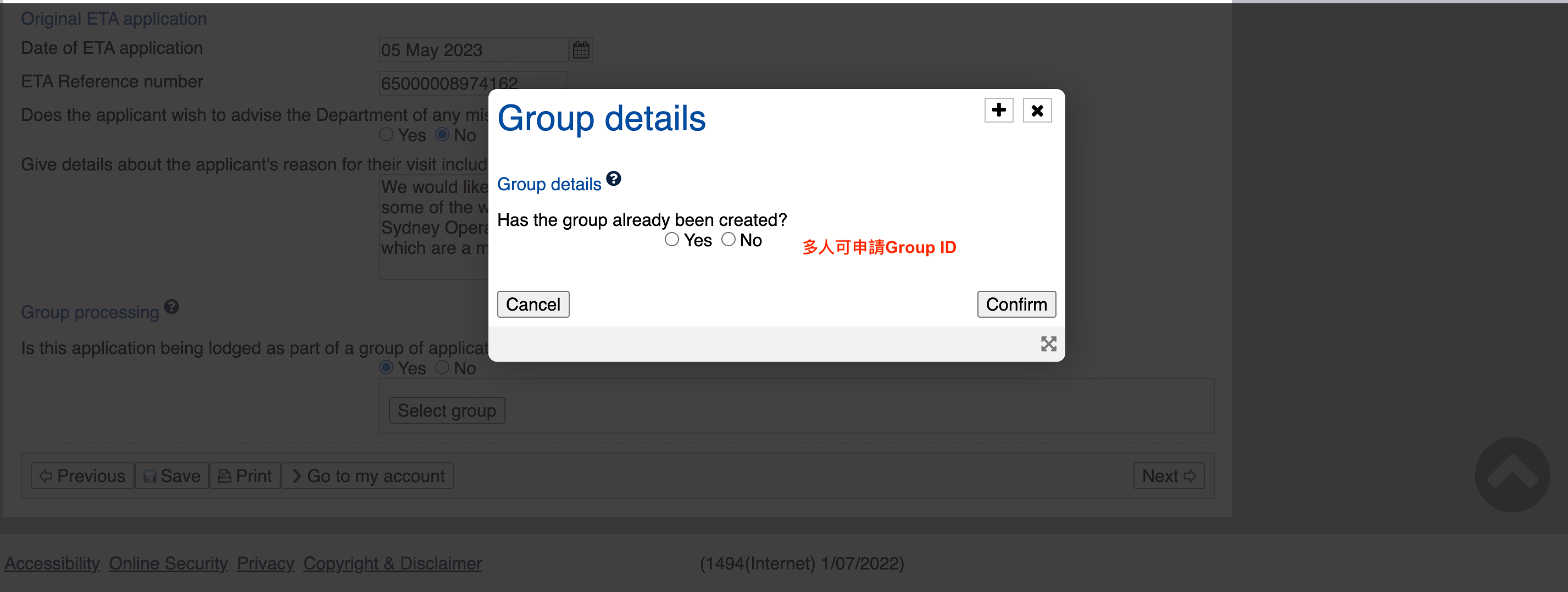
- Apply for Group Id if multiple people.
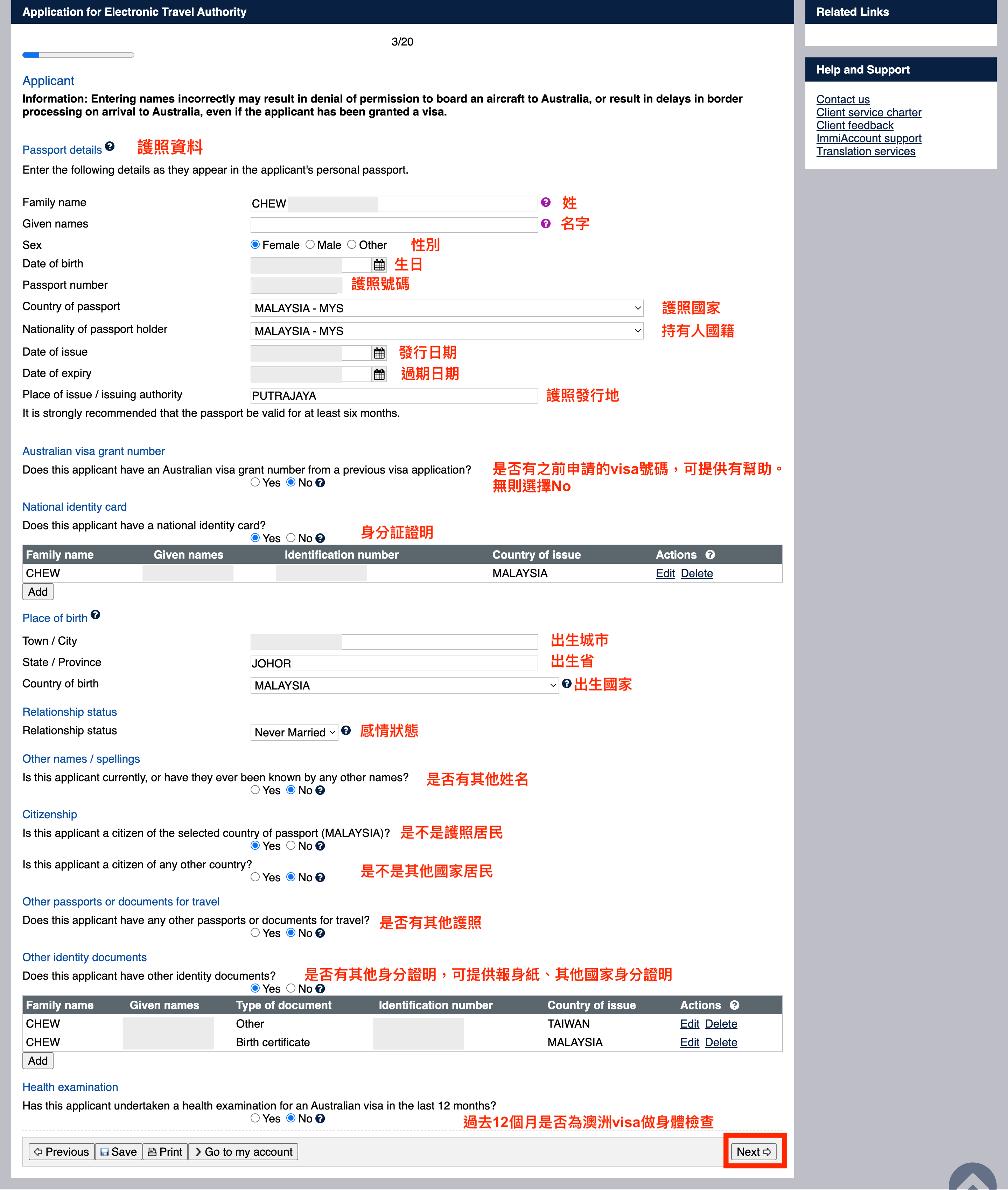
- Fill in passport details and identity information.
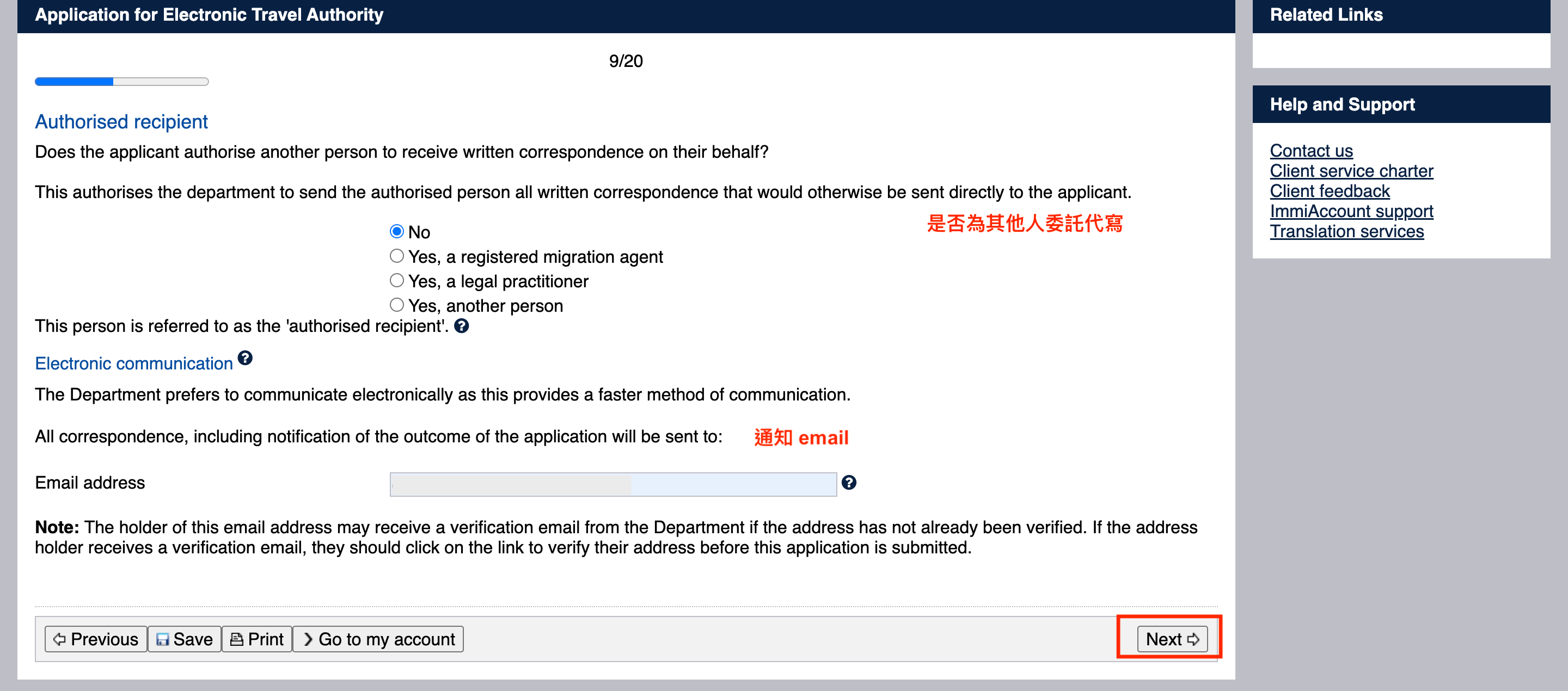
- Fill in contact information.

- Is it written by someone else on behalf?
- Any criminal records? If no, fill in all NO.

- Some declarations, generally fill in Yes.
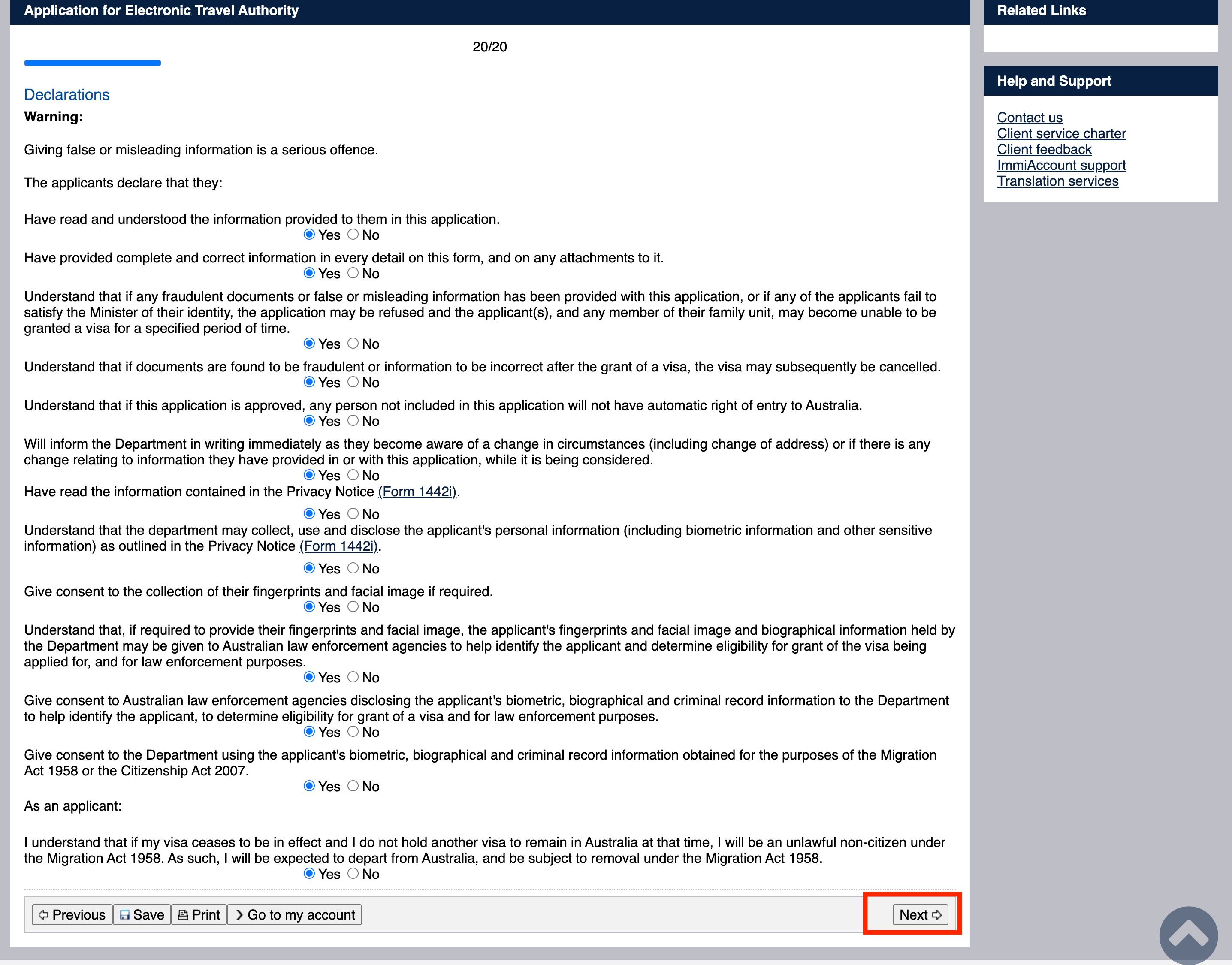
- Review the details.
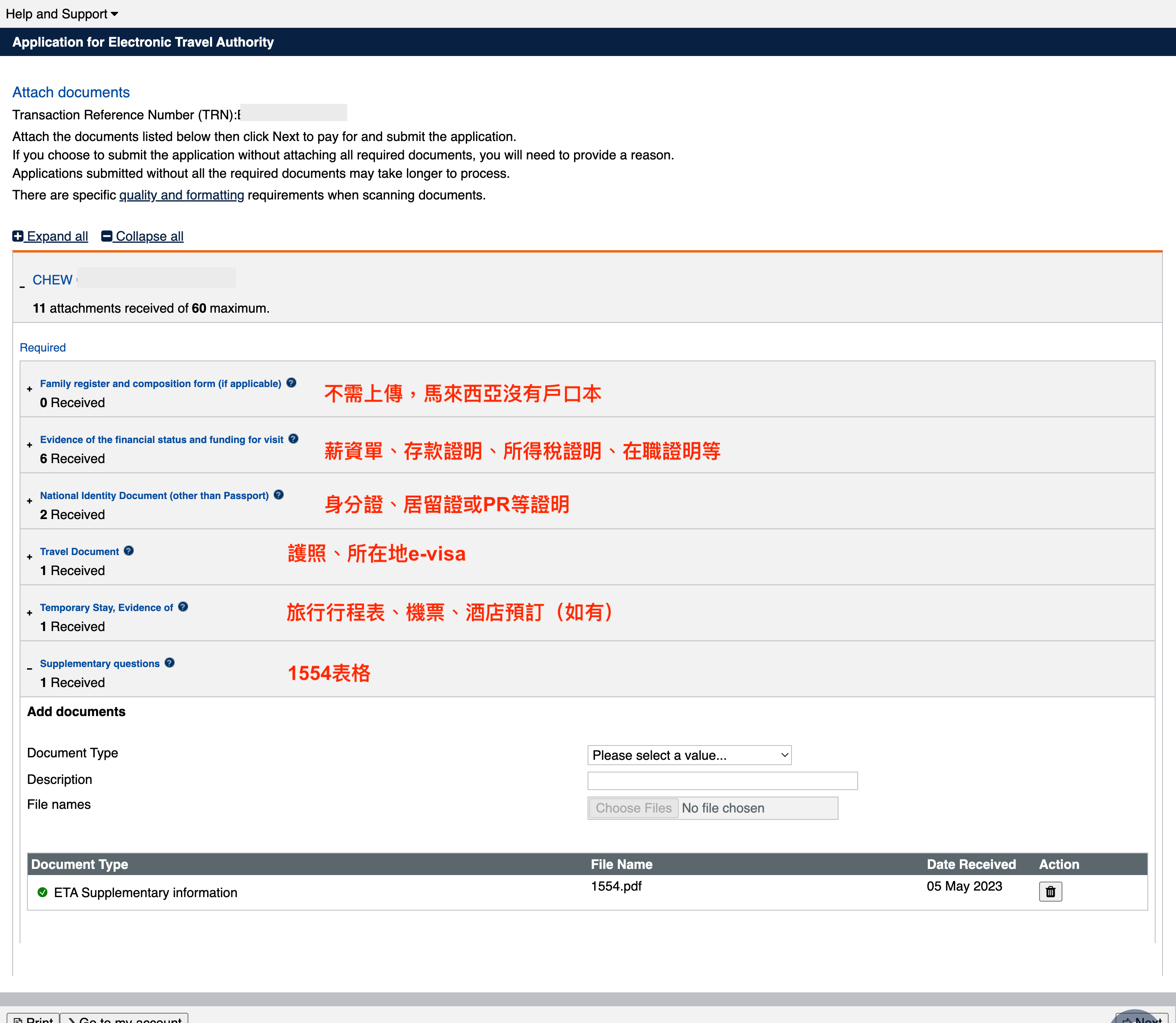
- Upload supplementary documents, this is crucial. Upload any relevant documents.
Family register: Not required, Malaysia does not have a household register.
Evidence of financial status: Payslips, bank statements, income tax proofs, employment certificates.
- For those working holiday in New Zealand, attach recent New Zealand payslips, New Zealand bank statements, Malaysia or Taiwan bank statements. I also attached income tax proof.
- Taiwan friends should note that documents need to be in English. For example, you can create an English payslip template online and get it stamped by the company. Attach bilingual tax proof.
- Entrepreneurs can provide business registration, tax slips, company bank statements.
- Students can attach parents' payslips or bank statements.
- Friends on WH in New Zealand can ask the company for employment proof.
National Identity: ID card, residence permit, PR, etc.
Travel Document: Passport, local eVisa (e.g., NZ WH visa) (refer to step 42 below for download).
Temporary Stay: Travel itinerary, flight tickets, hotel reservations (if any).
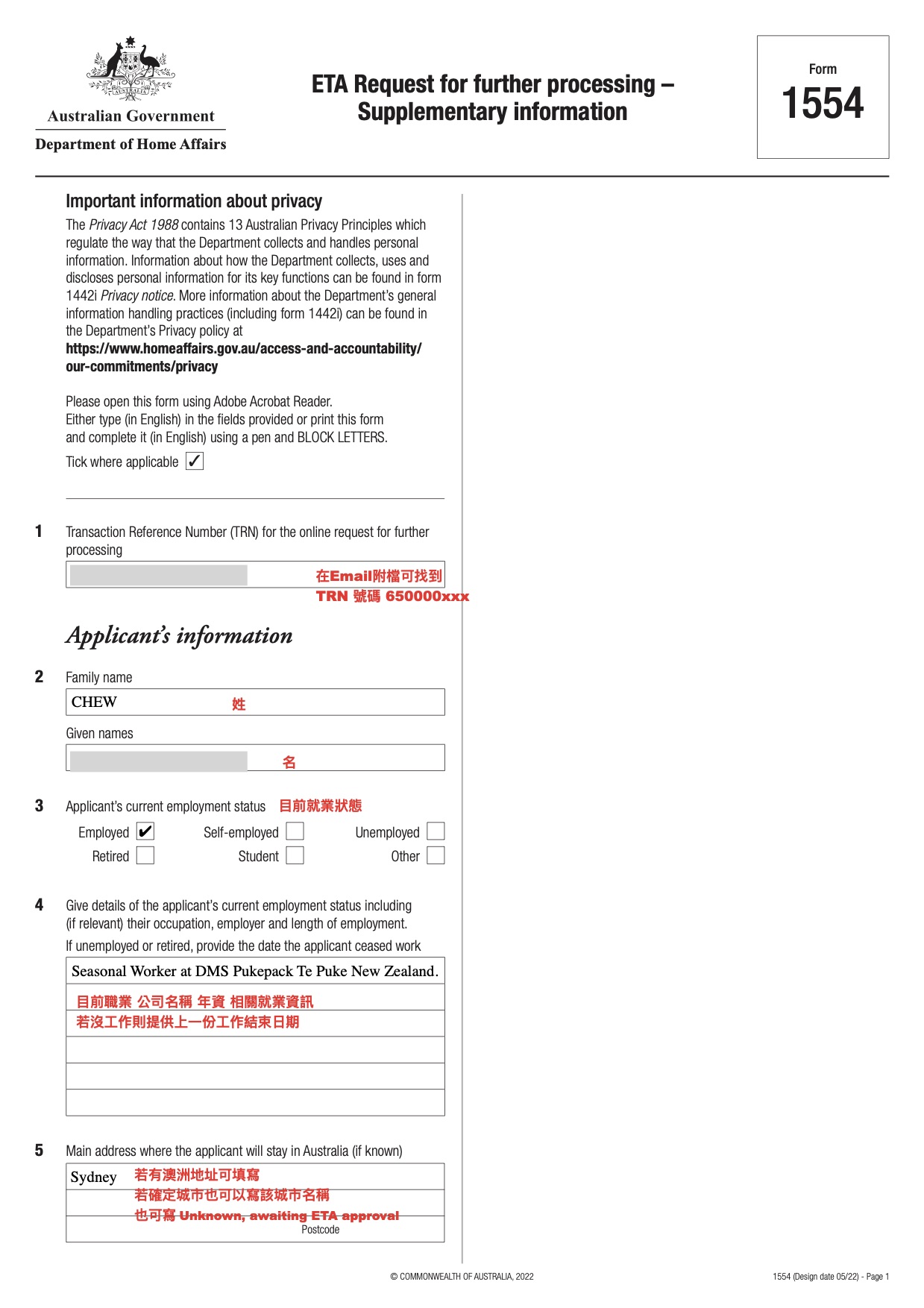
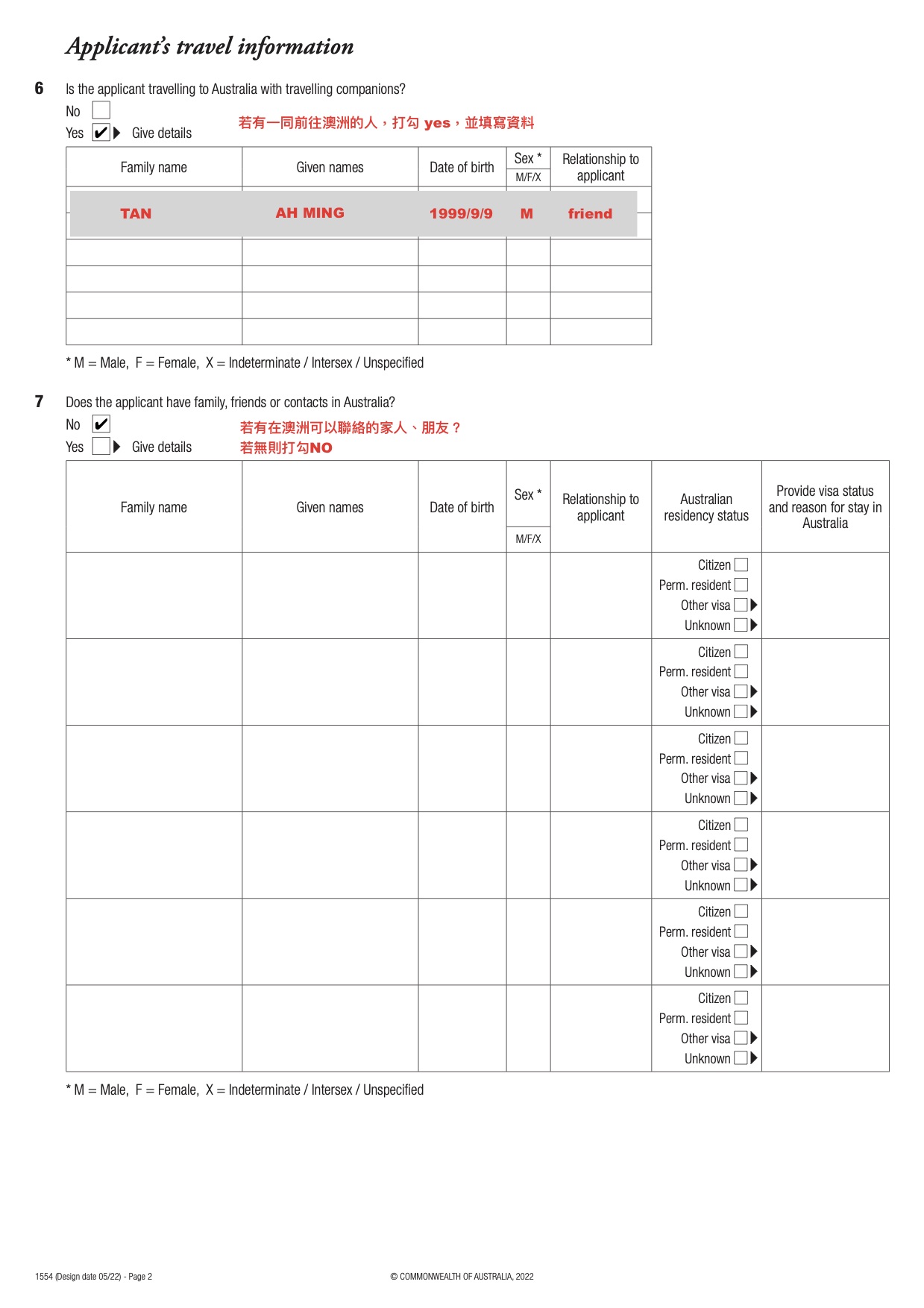
Supplementary questions: Upload Form 1554 (refer to step 43 below).
- Since I haven't bought flight tickets or booked accommodation, I only provided the itinerary. Refer below:
Download Sydney Itinerary PDF
- Download Form 1554: https://immi.homeaffairs.gov.au/form-listing/forms/1554.pdf , fill it out, and upload it to the Supplementary questions section.
- Submit the application.
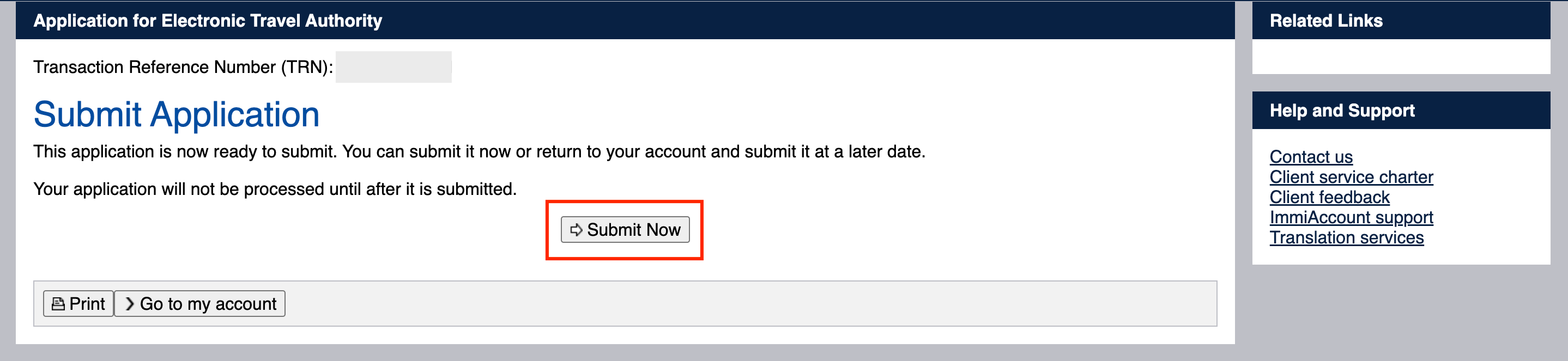
- Application submitted. Congratulations, you have completed the application. Now, just wait!

- After about a week, I finally received my ETA. I believe you can get it too!

This is a detailed article that took me a lot of time to write, I hope it is useful for those who want to go to Australia! If you have any questions, feel free to message me, and I will try to answer them.