
- Published on
Step By Step Guide to Online Application for Malaysian Passport - Super Detailed!
- Authors

- Name
- irisjustdoit
- @irisjustdoit
Application Steps
- Visit https://imigresen-online.imi.gov.my/eservices/myPasport, read the application instructions, and click "setuju" (agree).
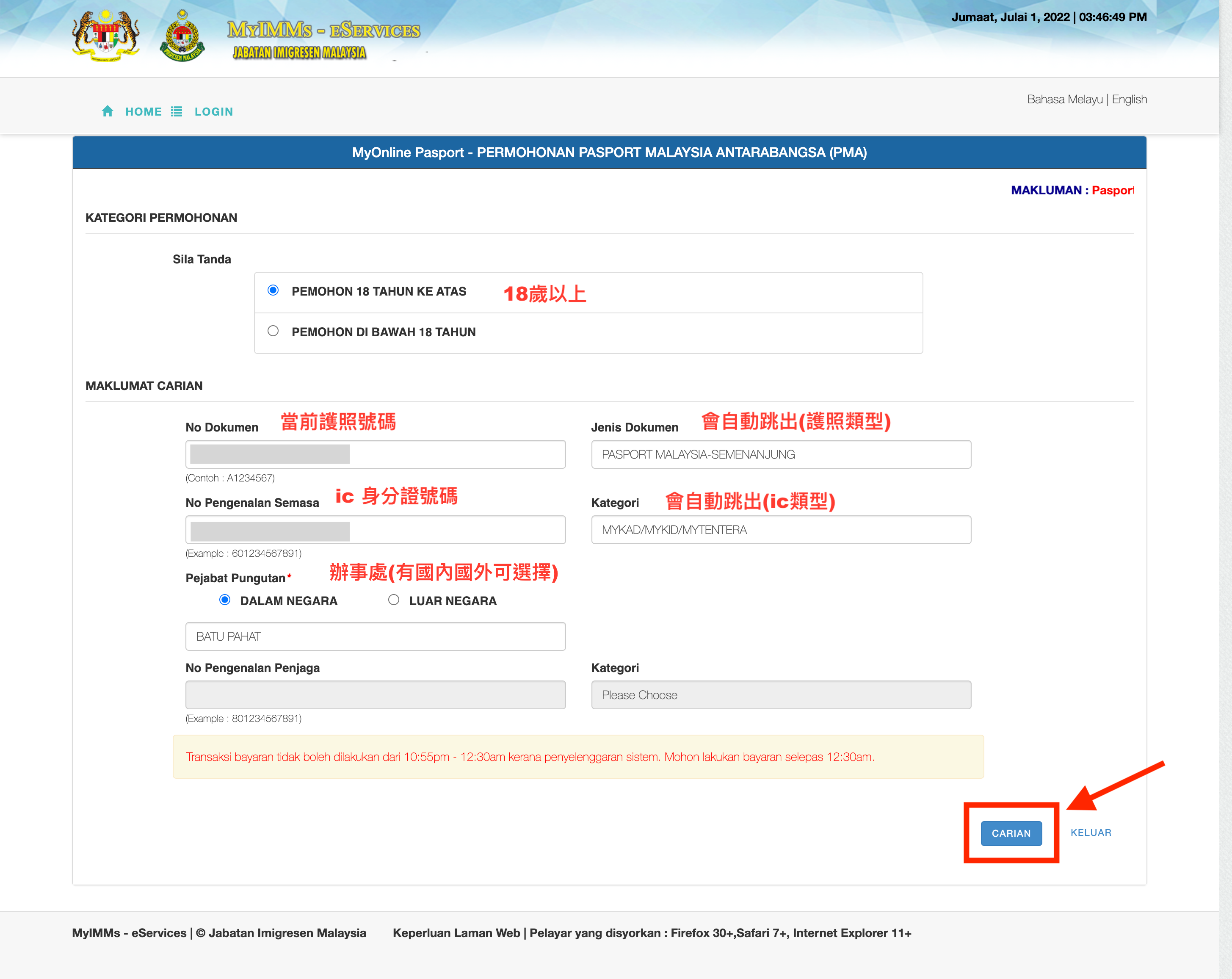
- Fill in the current passport number under "No Dokumen" and the IC number under "No Penggenalan Semasa." Then select the office.
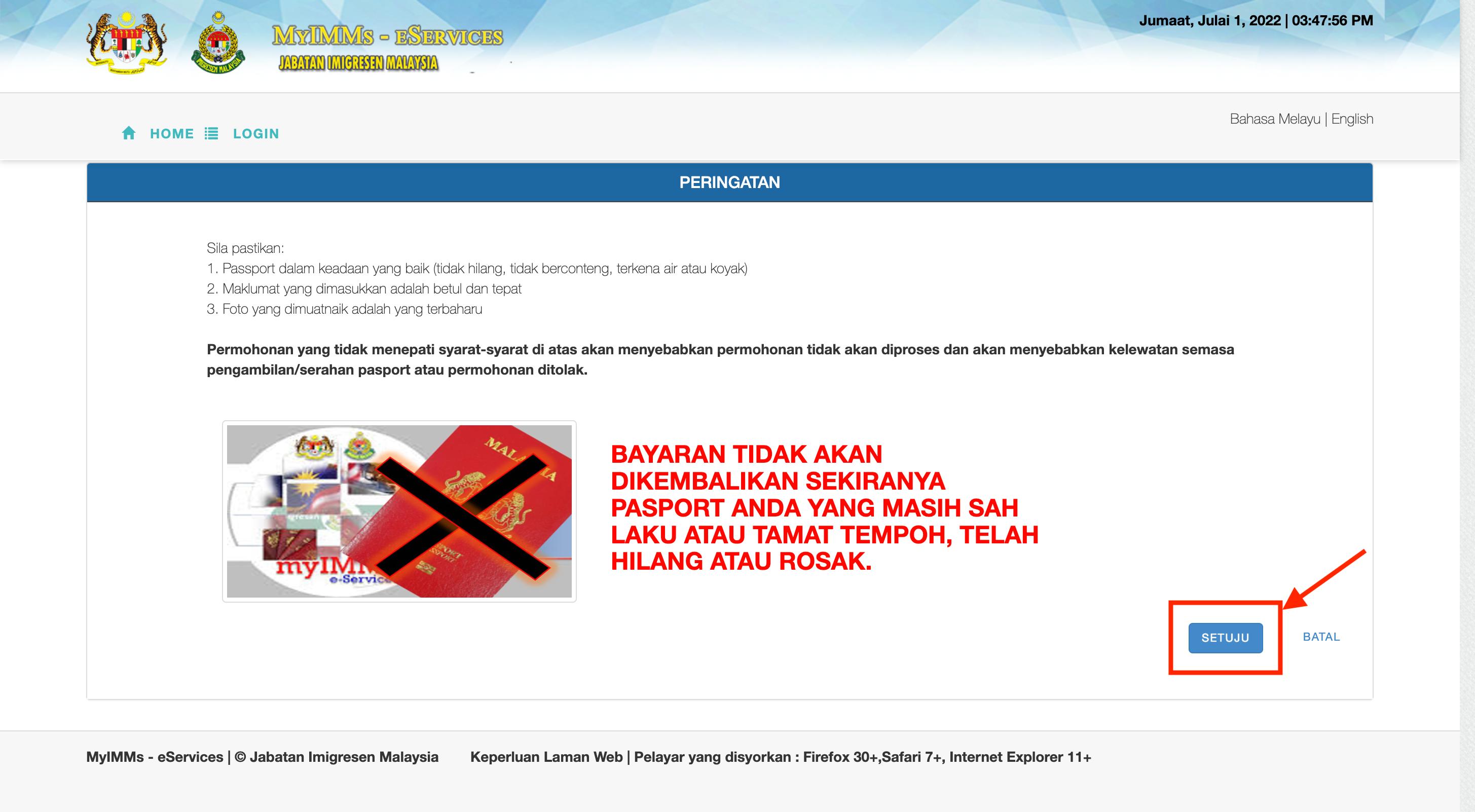
- A warning reminder will appear; click "setuju" (agree).
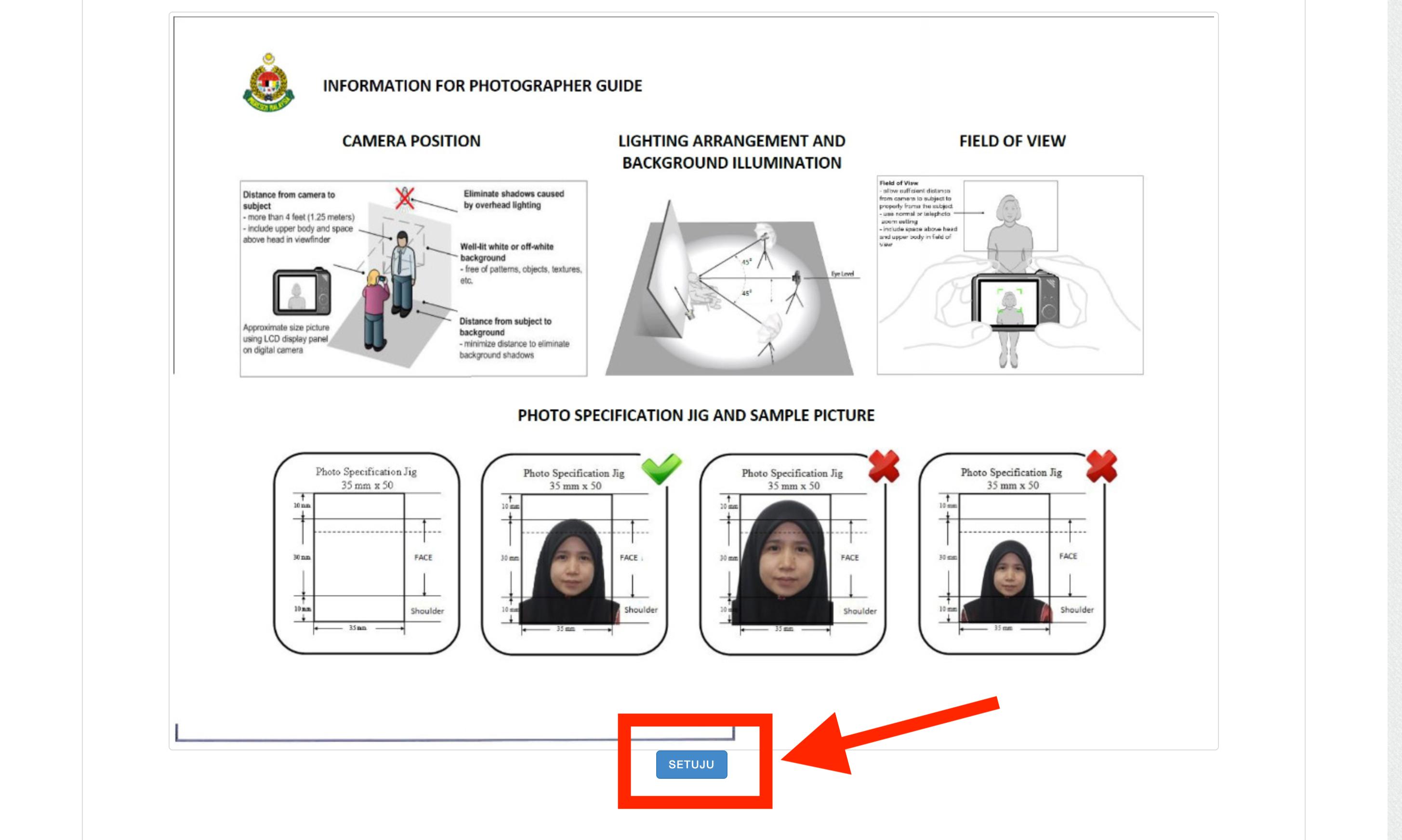
- Some photo guidelines will appear; click "setuju" (agree).
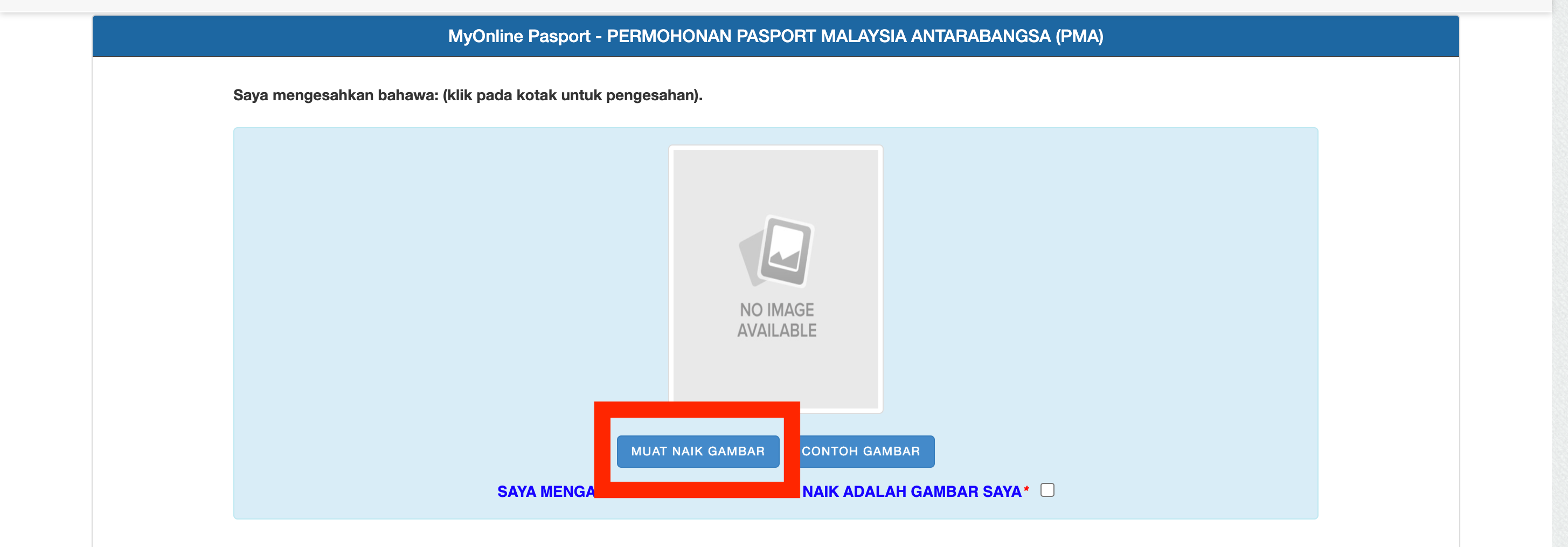
- Click to upload the photo.
- Select the photo and upload it.
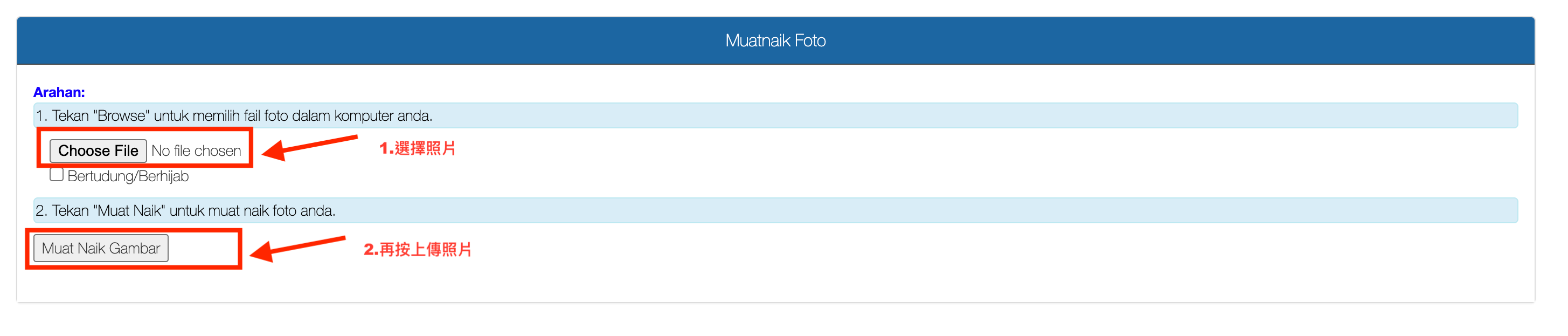
Photo Requirements:
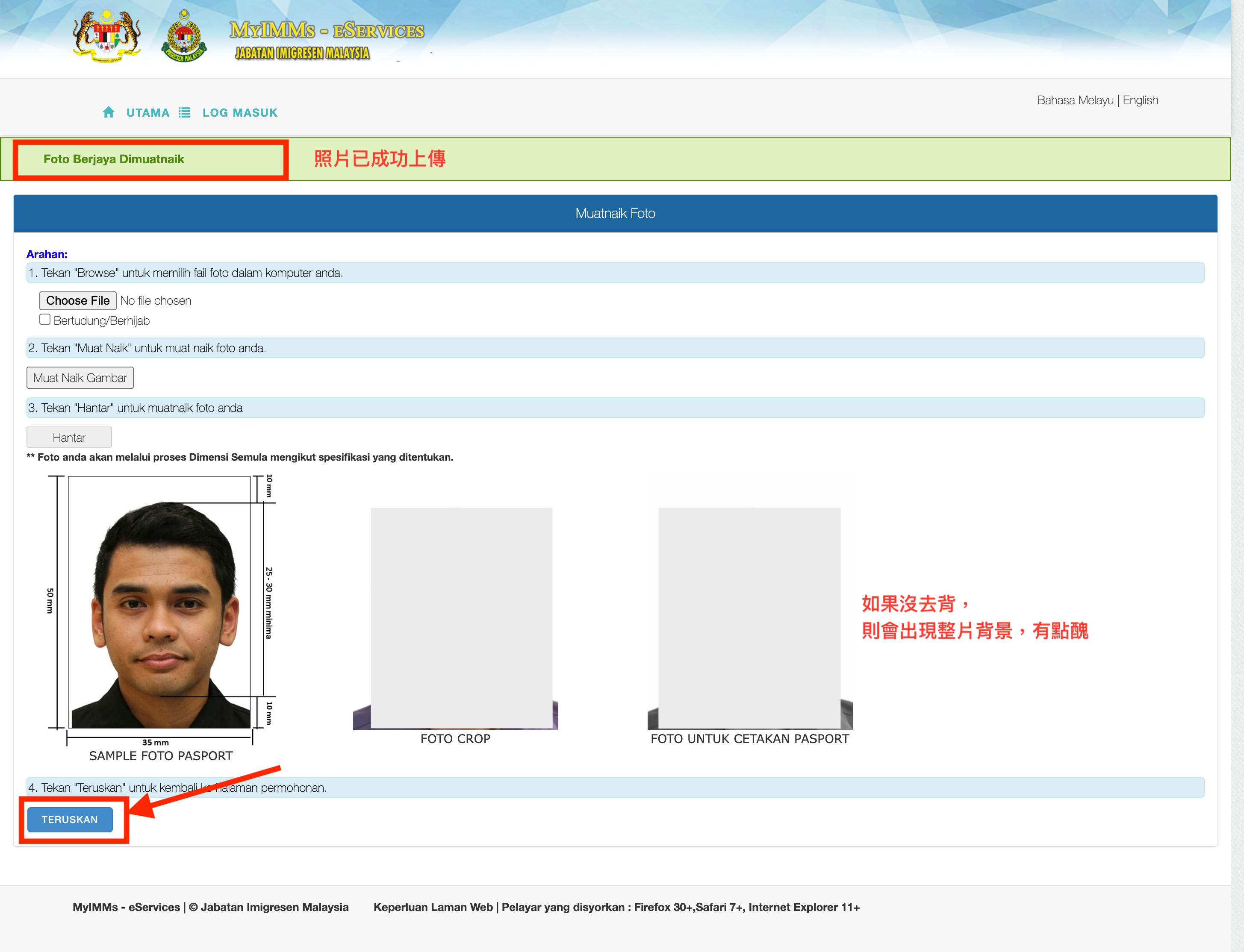
- The background of the photo must be white.
- The person in the photo must wear dark-colored clothing.
How to Remove Background:
- If you have a professionally taken photo, you can use it directly. If not, you can take a picture against a wall and then use a photo editing app to remove the background. I actually used Photoshop to remove the background, but later found out that a photo editing app can do it too. I even recorded a tutorial for it.
Background Removal Video Tutorial
- Use these two sliders to adjust the head to fit within the blue circle.
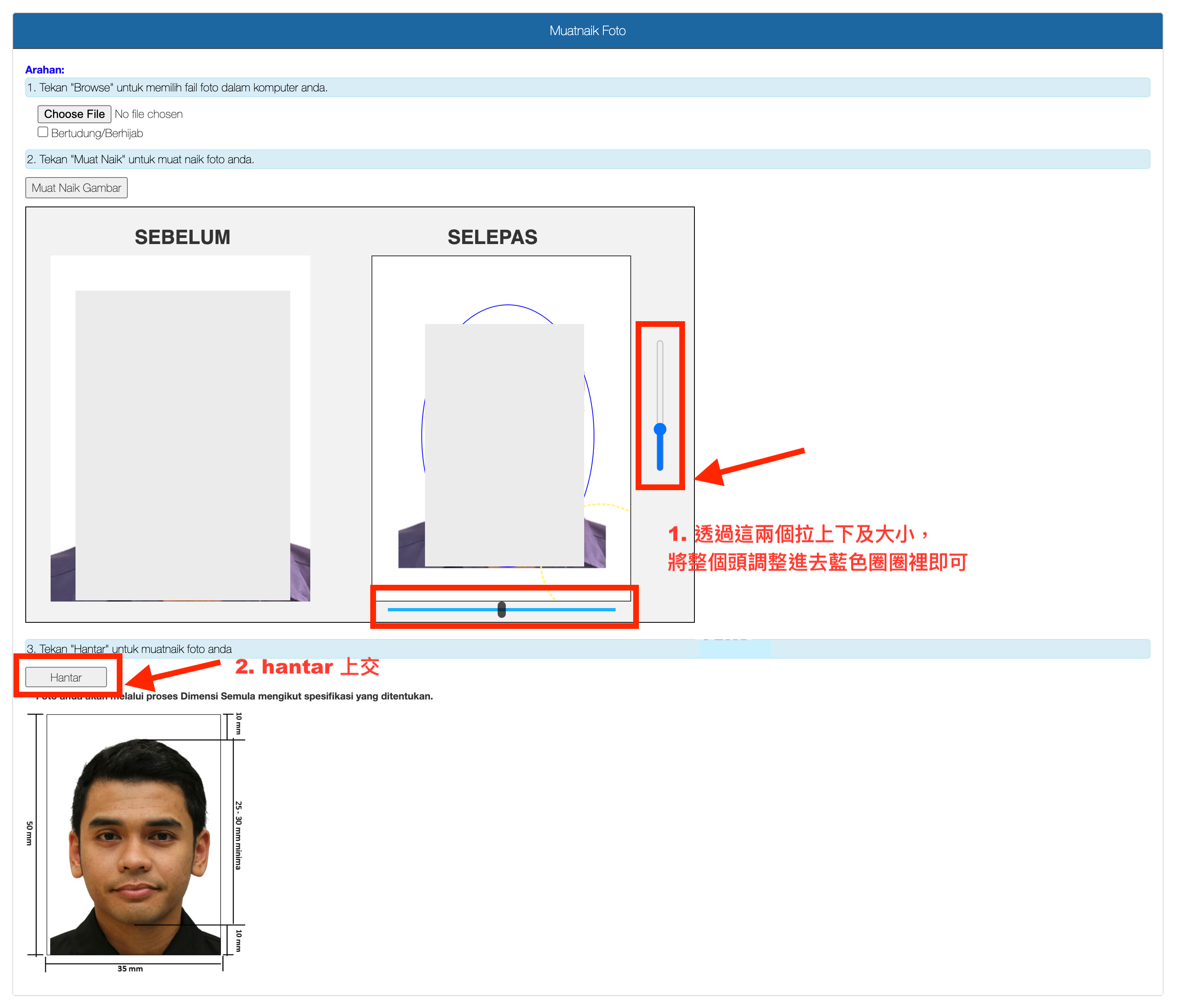
- If you see "foto berjaya dimuatnaik" (photo successfully uploaded) in green, the photo is successful; otherwise, upload it again, ensuring the head is within the blue circle. After success, click "terukan" (continue).
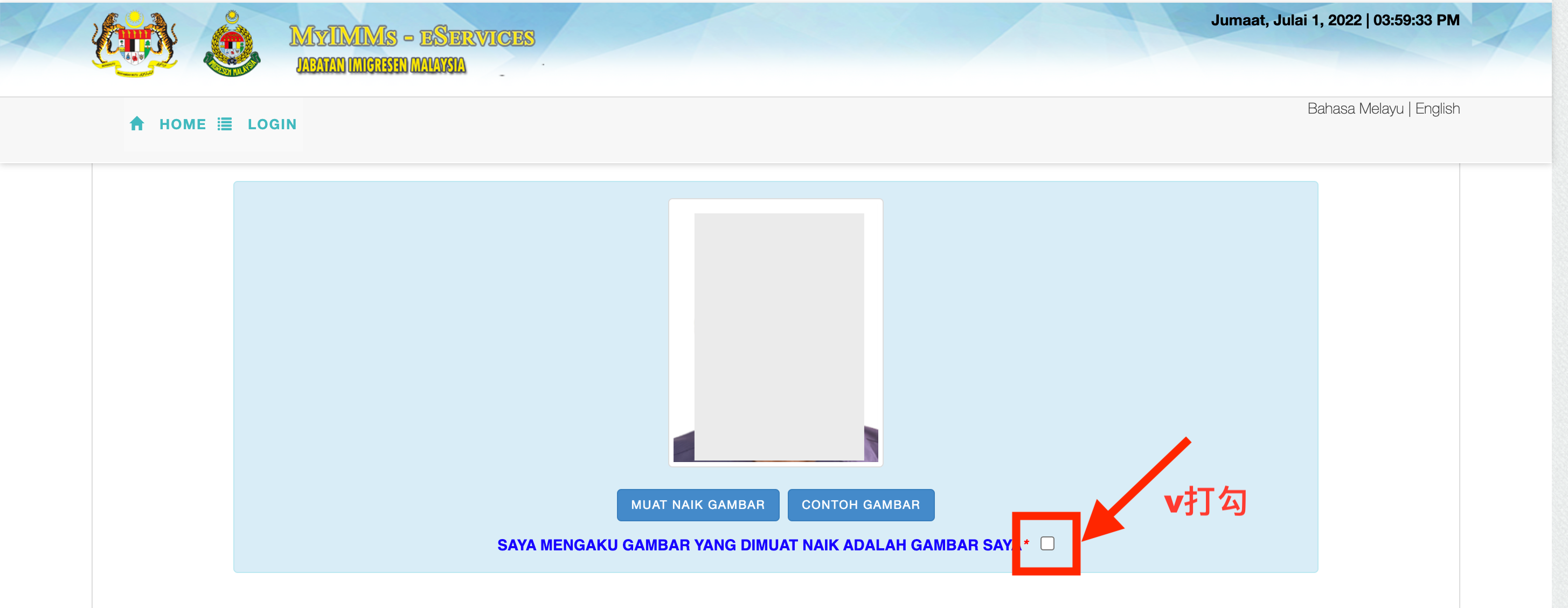
- Check the box to confirm it is your photo.
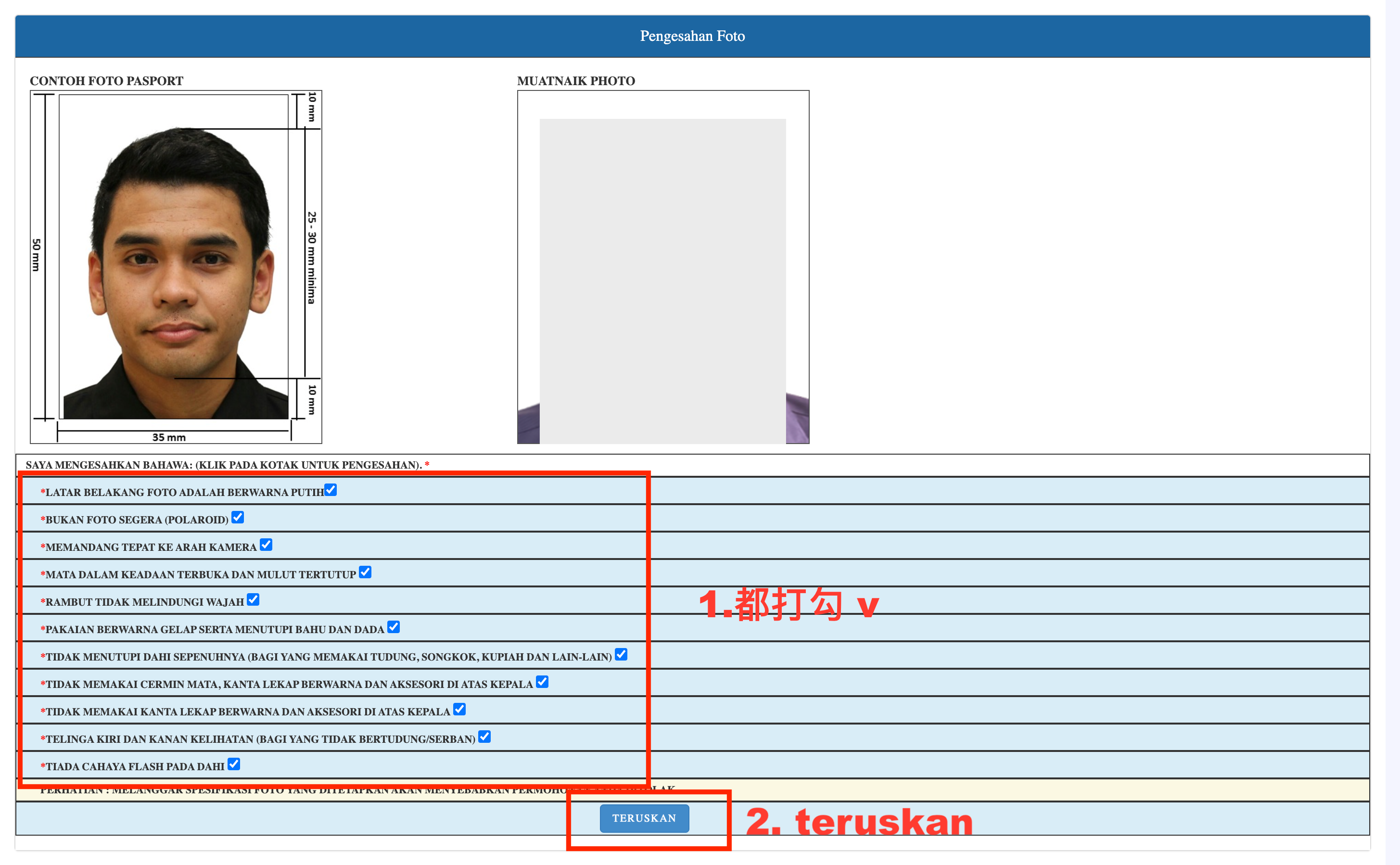
- The following information will pop up; check all the boxes and click "teruskan" (continue).
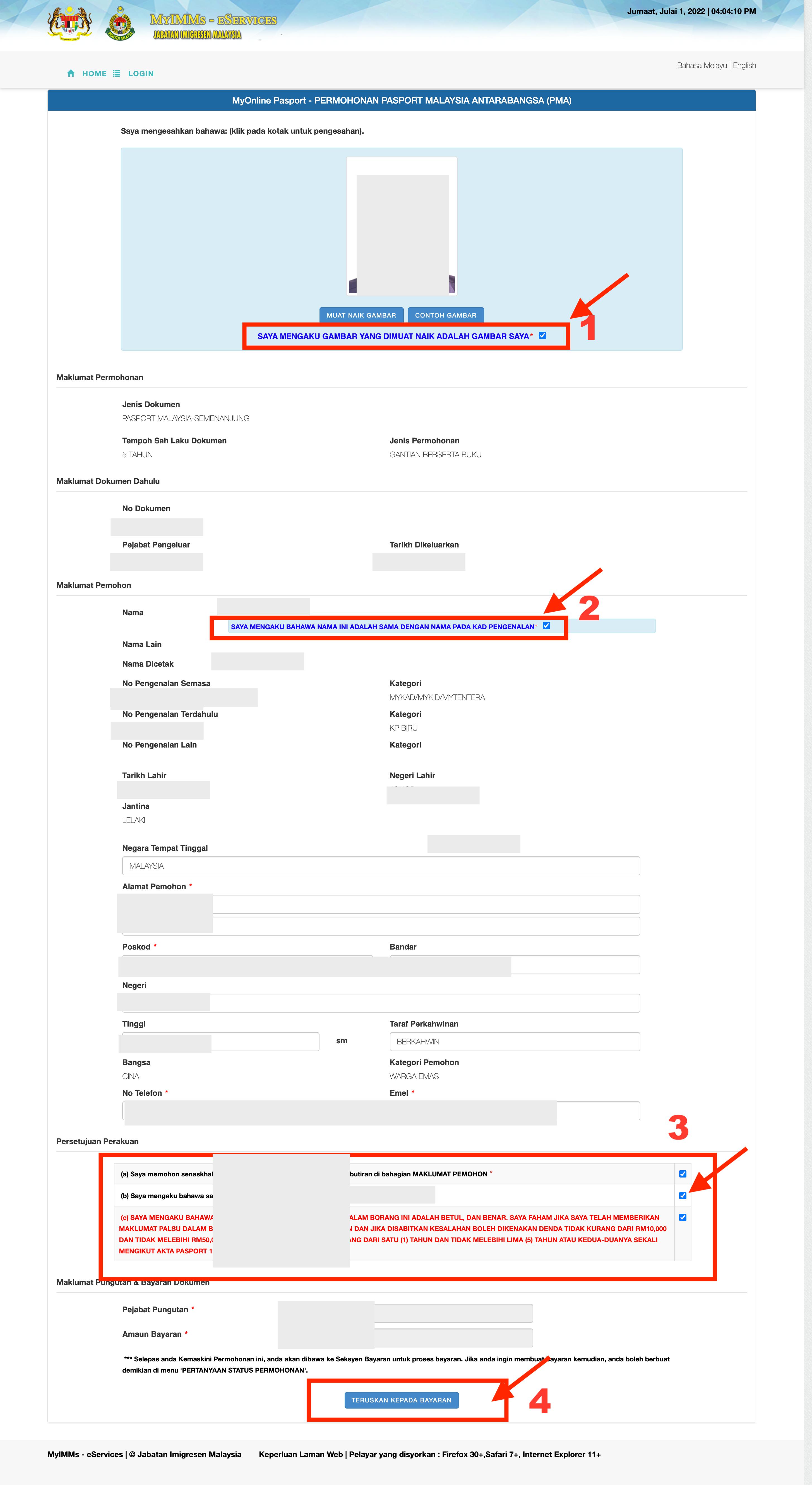
- Confirm that all information is correct, check all boxes, and click "teruskan" (continue).
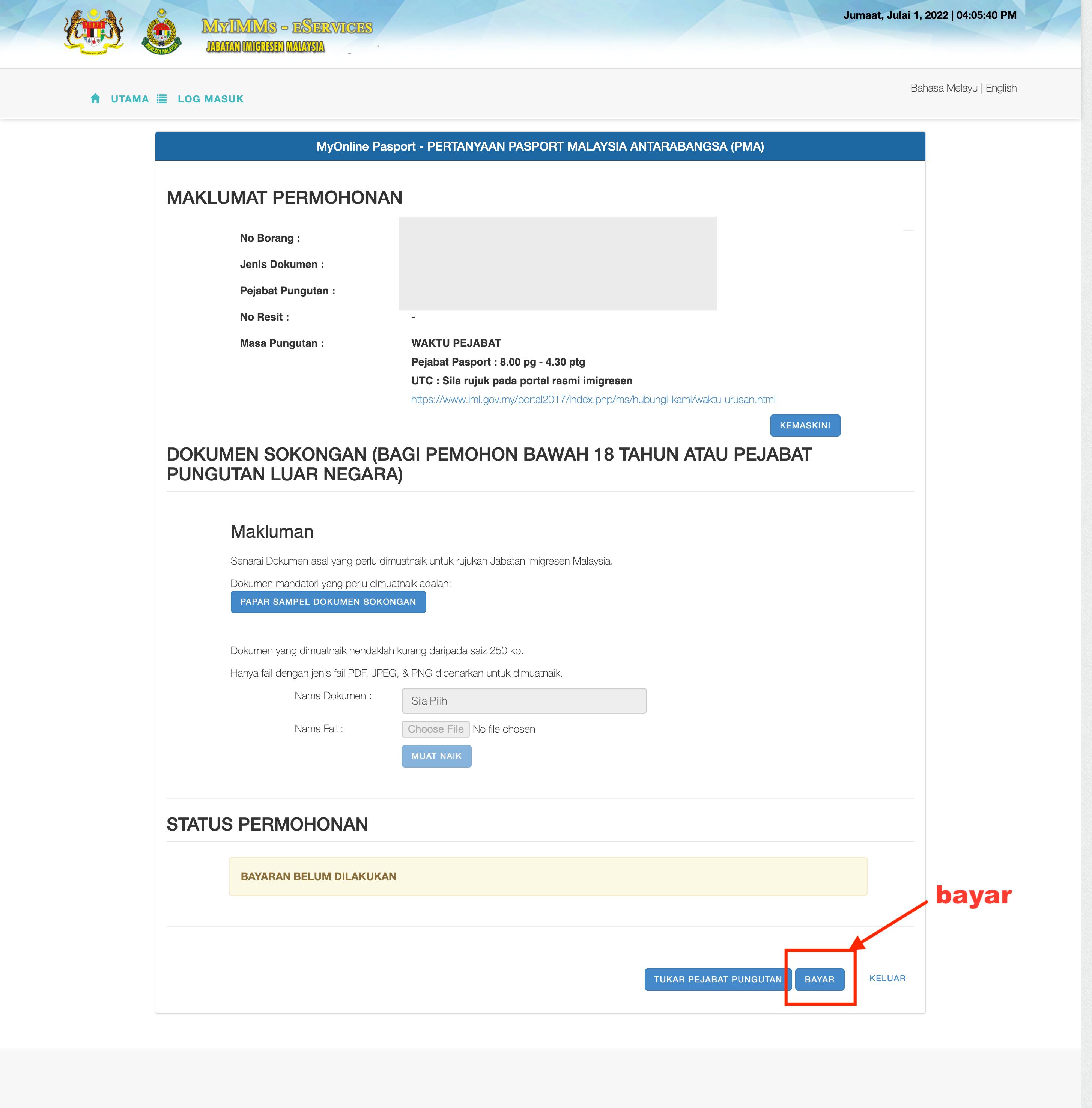
- Click "bayar" (pay).
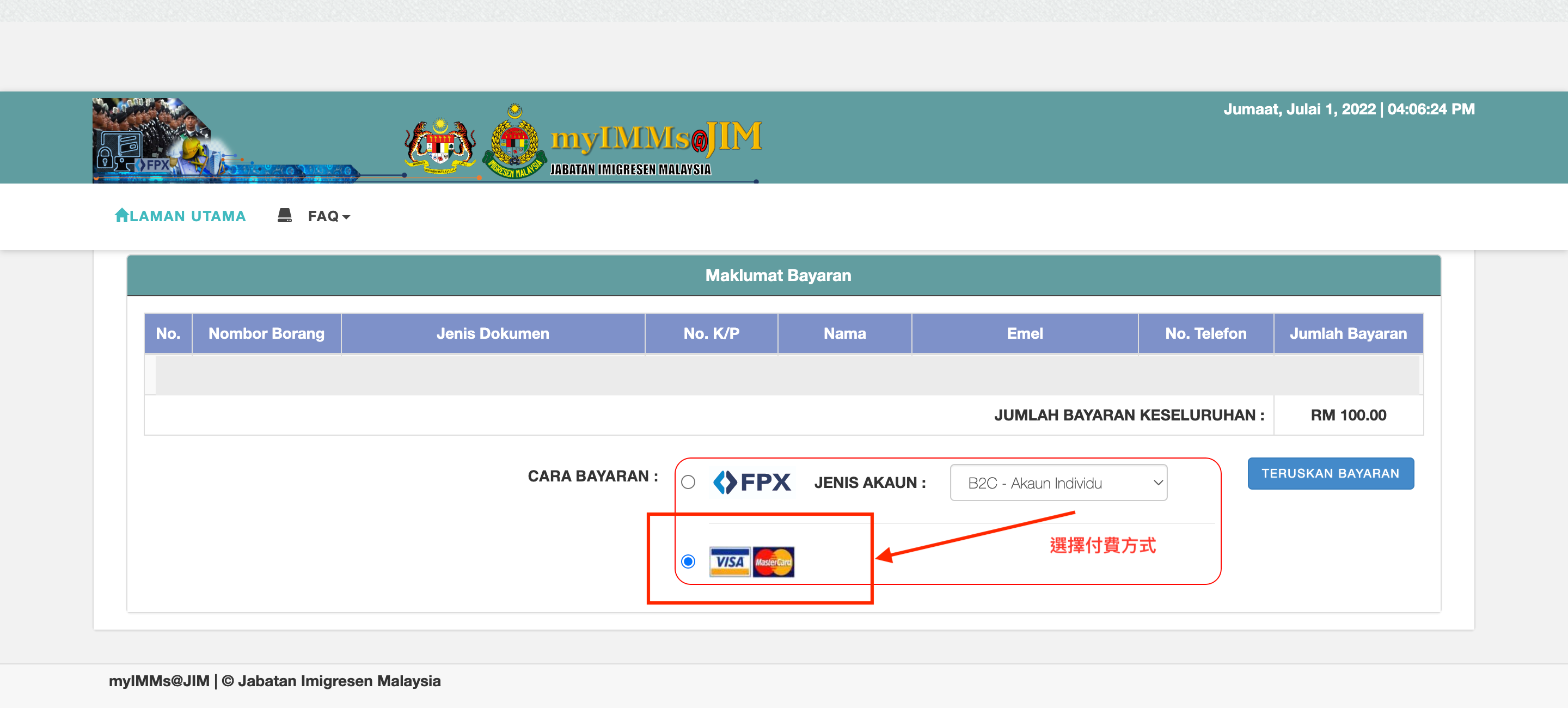
- Choose the payment method.
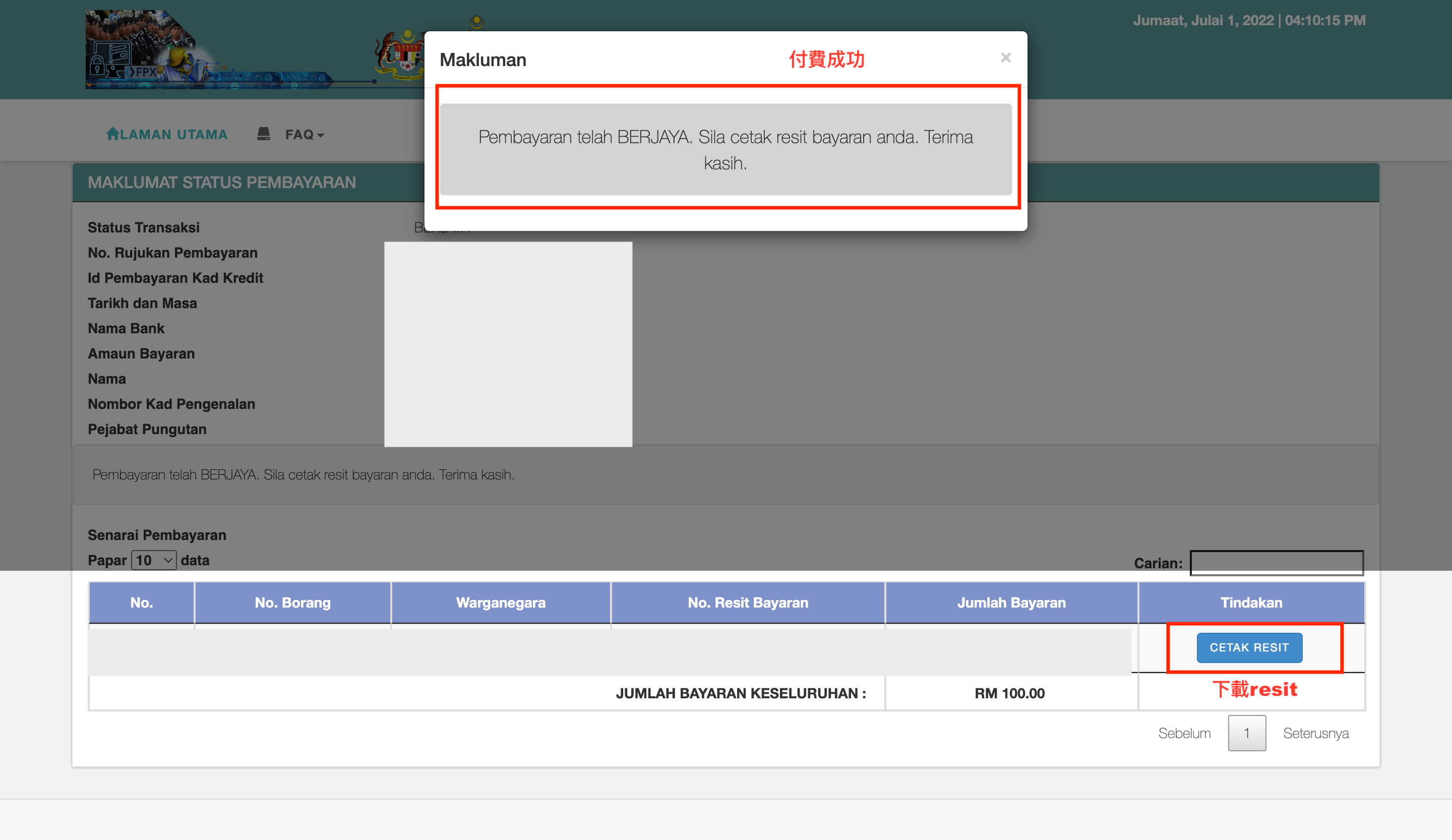
- Once the payment is successful, it indicates that the application is complete. Click "cetak resit" (print receipt), download, and print it (very important).
- To check if the application is successful, wait for an email. It usually comes quickly, and I received the approval email the next day.
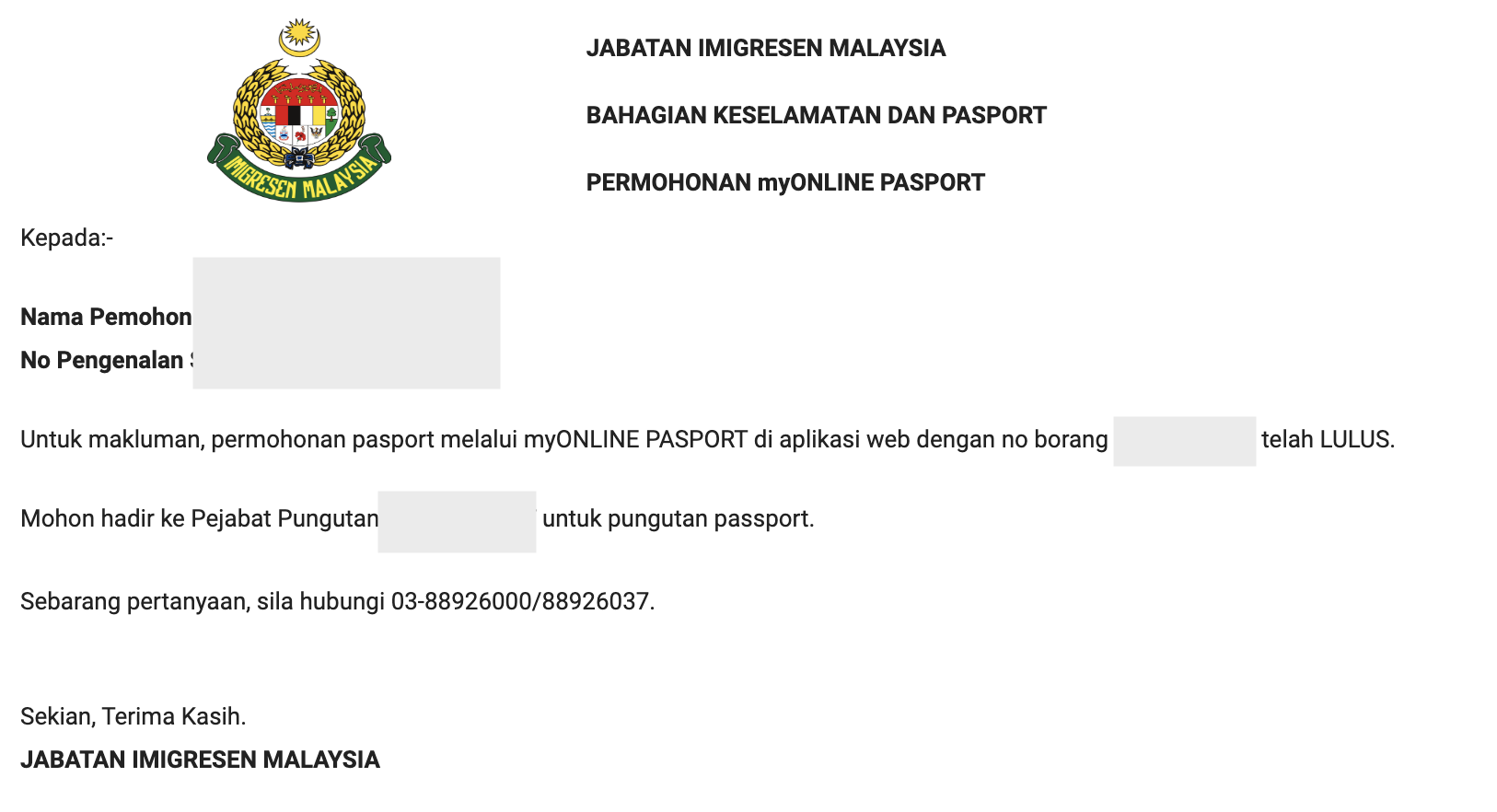
- After receiving the approval email, you can go to the office to collect the new passport with the receipt, old passport, and IC after 3 working days.
Fees & Conclusion
Passport Fees:
- Regular individuals (ages 13 – 59): RM 200
- Senior citizens (60 years and above): RM 100
And that's it! The most troublesome part for me was removing the background from the photo, and the head must be within the blue circle. Also, remember to bring the receipt! If you have any questions, feel free to leave a comment. I hope this helps those in need!